
1. Go to the "Discussions" page on mobile. 2. Make sure you are on the "Discussion" tab (to see AI-related discussions, switch to "AI Discussion"). 3. Enter a keyword in the "Search topic" box below the tabs. 4. Tap the matching discussion topic row to open the conversation and read or reply to messages.
The list shows the topic title, a preview of the last message, and the time of the last message. If there are unread messages, an unread count badge is also shown, which helps you decide which one to tap.
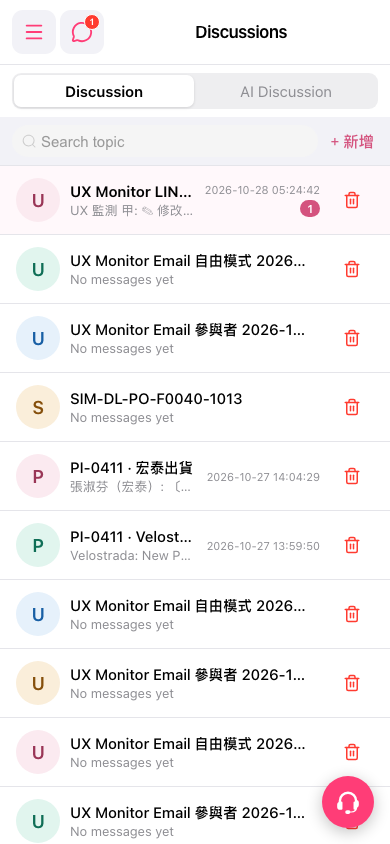 手機版|Discussions(討論)