
1. Click "Quotation" in the left sidebar, open the quotation you want to work on from the list, and go to the details page. 2. Use the section navigation on the left of the page and click "Item list" to jump to the item section. 3. To add an item: click "Add items" at the top right of the section and select an existing product from the product database; or click "New item" to add one manually. 4. To edit an existing item: click "Edit" on the right of that row, change fields such as unit price and quantity, then press Enter to save or Esc to cancel. 5. To adjust the columns shown in the table, click the "Columns 9/25" setting. Note: Adding, editing, and deleting items is saved immediately; you do not need to click "Edit" at the top right first.
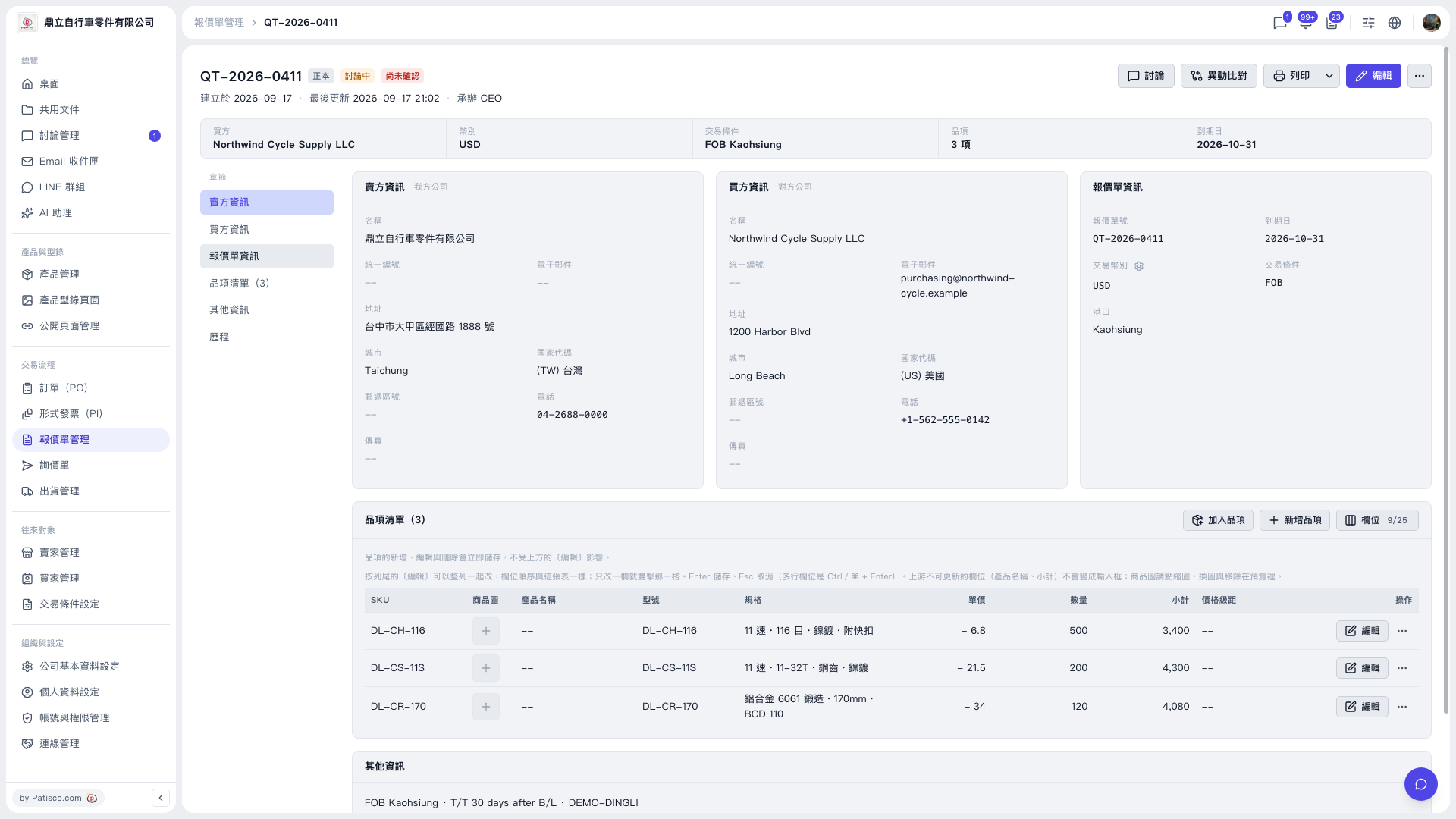 V5 新桌面版|QT-2026-0411(報價單詳情)