
1. To edit the quotation itself (for example buyer and seller information, currency, trading conditions, expiry date), click the purple "Edit" at the top right to enter overall edit mode. 2. To see what changed between versions, click "Diff view" at the top right. 3. To confirm the content with colleagues, click "Discuss" at the top right. 4. Once the content is confirmed, click "Print" to output the quotation; the dropdown arrow beside it has other print options. 5. To find other actions, click "⋯" at the far right to open the more-actions menu. Tip: You can use the section navigation on the left of the page (Seller information, Buyer information, Quotation information, Item list, Other information, History) to quickly jump to the section you want to check.
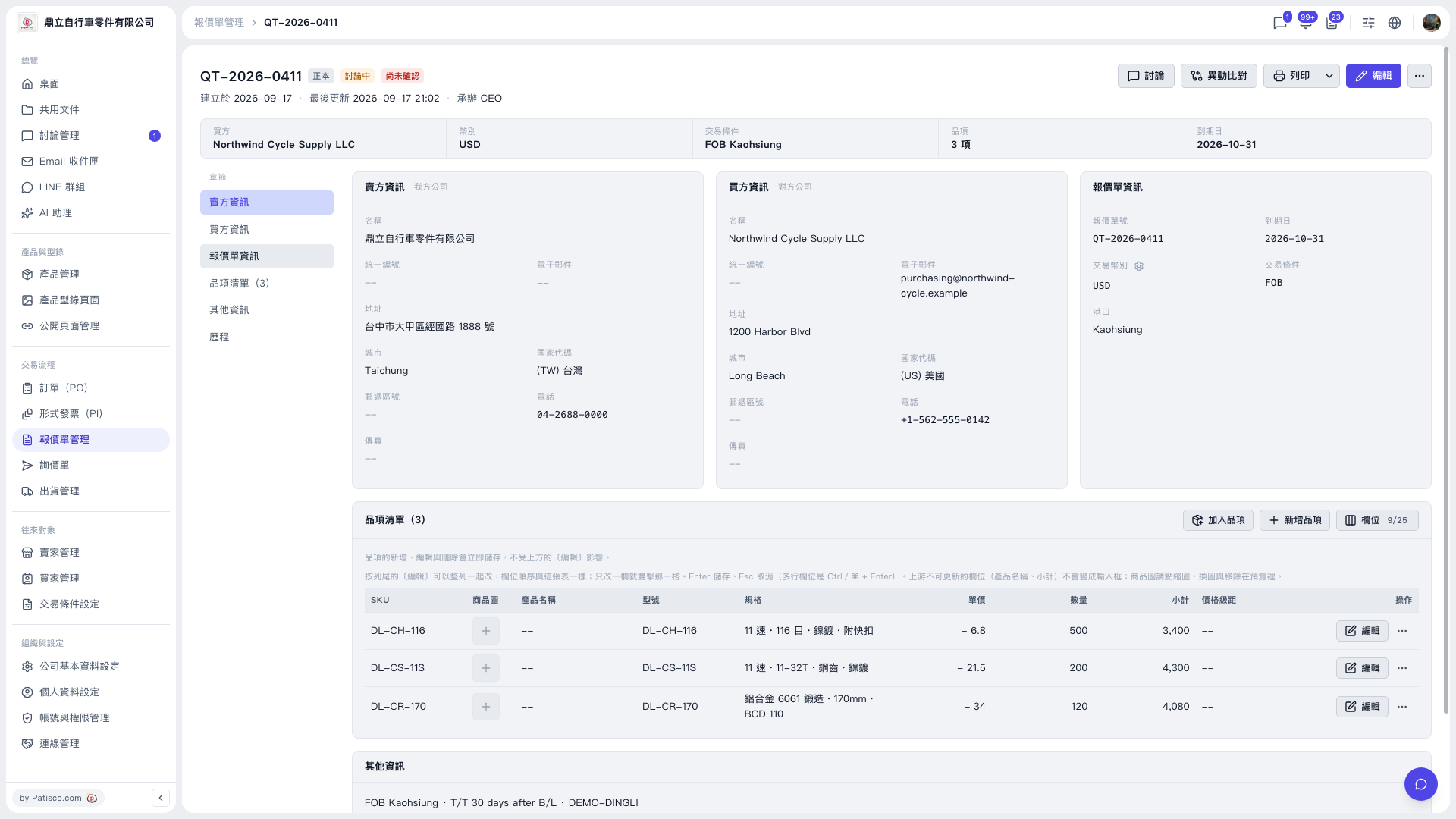 V5 新桌面版|QT-2026-0411(報價單詳情)