
1. In the "Discussion Management" list on the left, click the thread you want to handle (for example, "PI-0411 · 宏泰出貨"). You can also find it using the "Search topic name" box. 2. Type your content in the "Type a message" box at the bottom of the center area. 3. Click "Send" or press Enter. 4. A message sent this way is an internal message. Only colleagues can see it, and external parties will not receive it.
Reminder: Messages in the center area are distinguished by different labels for internal, LINE, and Email. Before sending, you can check which type you are working on.
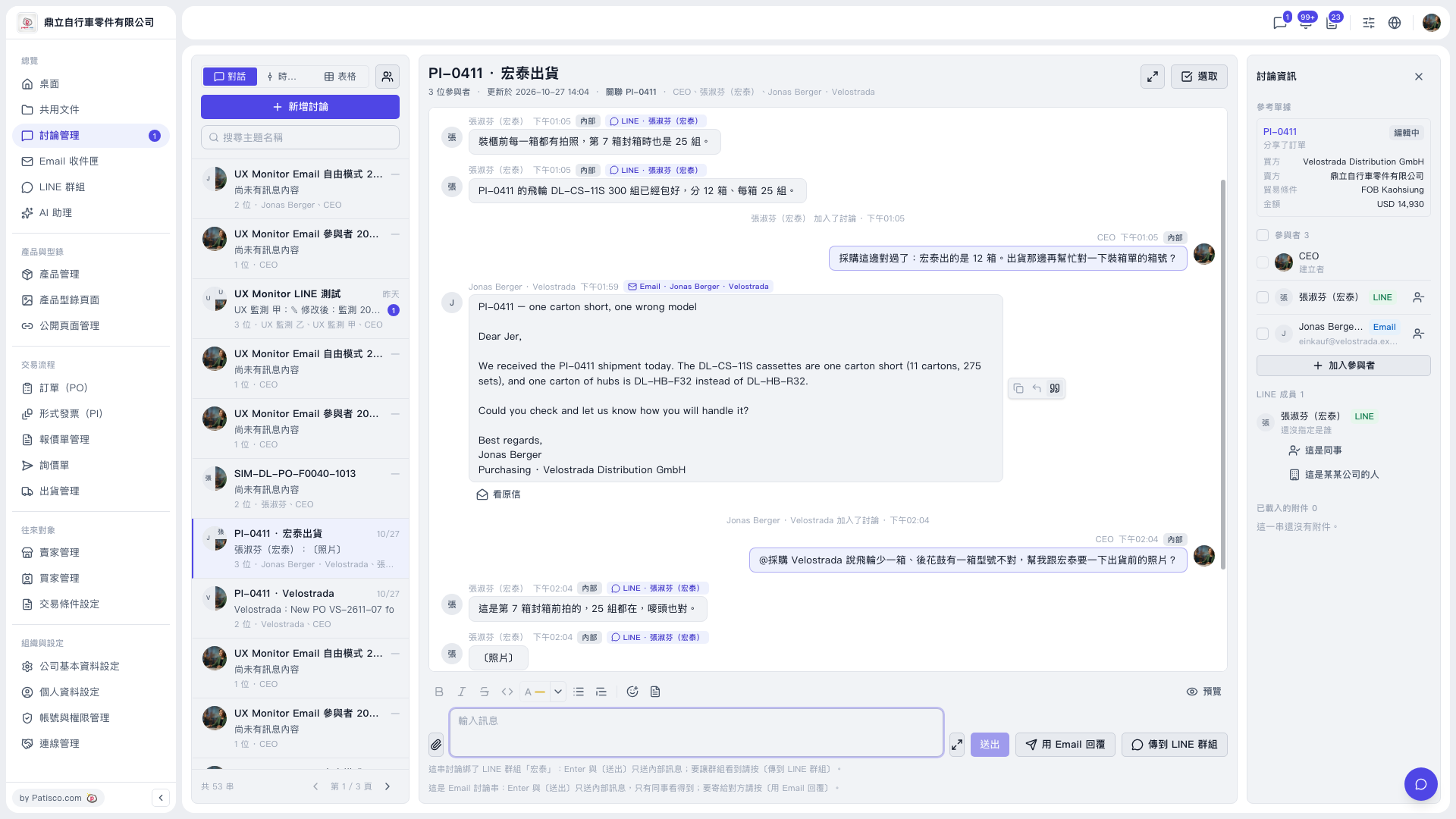 V5 新桌面版|討論管理(PI-0411 · 宏泰出貨 討論串)