
Add a quotation: 1. Go to the "Quotation Management" page. 2. Click the purple "Add Quotation" button at the top right. 3. Fill in the buyer, currency, expiry date, and other information as shown on screen.
Find and edit an existing quotation: 1. In the search box on the toolbar above the list, select the search field (for example, quotation number) and enter a keyword; you can also click "Filter" to the right of the search box to narrow the results. 2. In the list, click the quotation number of the item to open it for viewing or editing. 3. If you see an orange expiry date with a clock icon in the list, the quotation is about to expire, and it is best to handle it first.
Tip: To change the number of rows per page, click "Preferences" at the bottom right of the list. To export or download the list data, click the download icon at the far right of the toolbar.
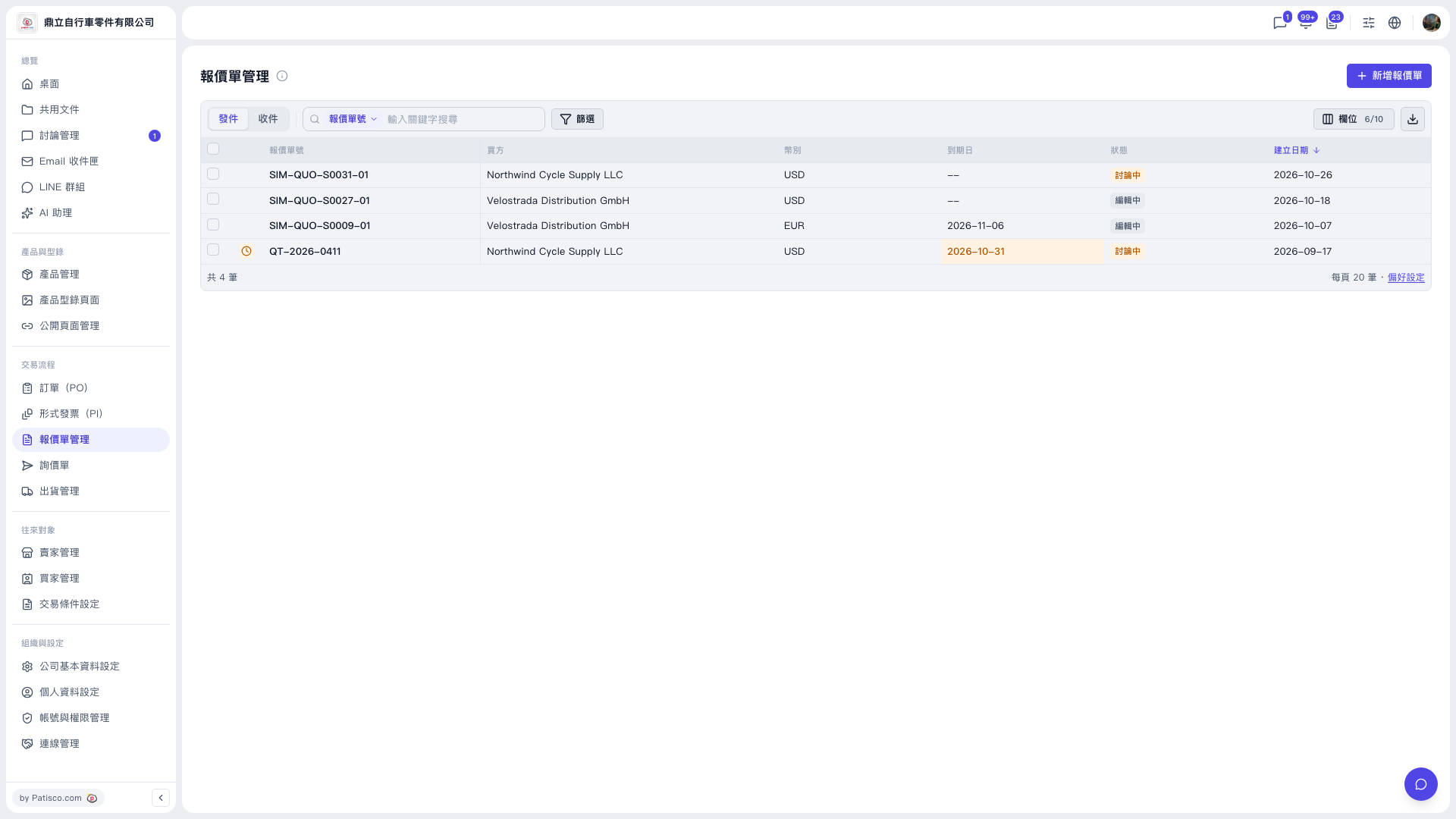 V5 新桌面版|報價單管理