
1. Open the PO details page (for example PO-2026-0902), and use the section navigation on the left to click "Item list" to jump to the item section. 2. On the right of the row you want to edit, click "Edit", or double-click the cell you want to change. 3. After editing, press Enter to save, or press Esc to cancel if you no longer want the change. 4. To add more items: click "Add items" on the right of the Item list heading row to select from the product library, or click "New item" to enter one manually. 5. After finishing your edits, click "Submit" at the top right; only then are the unsubmitted changes sent to the seller.
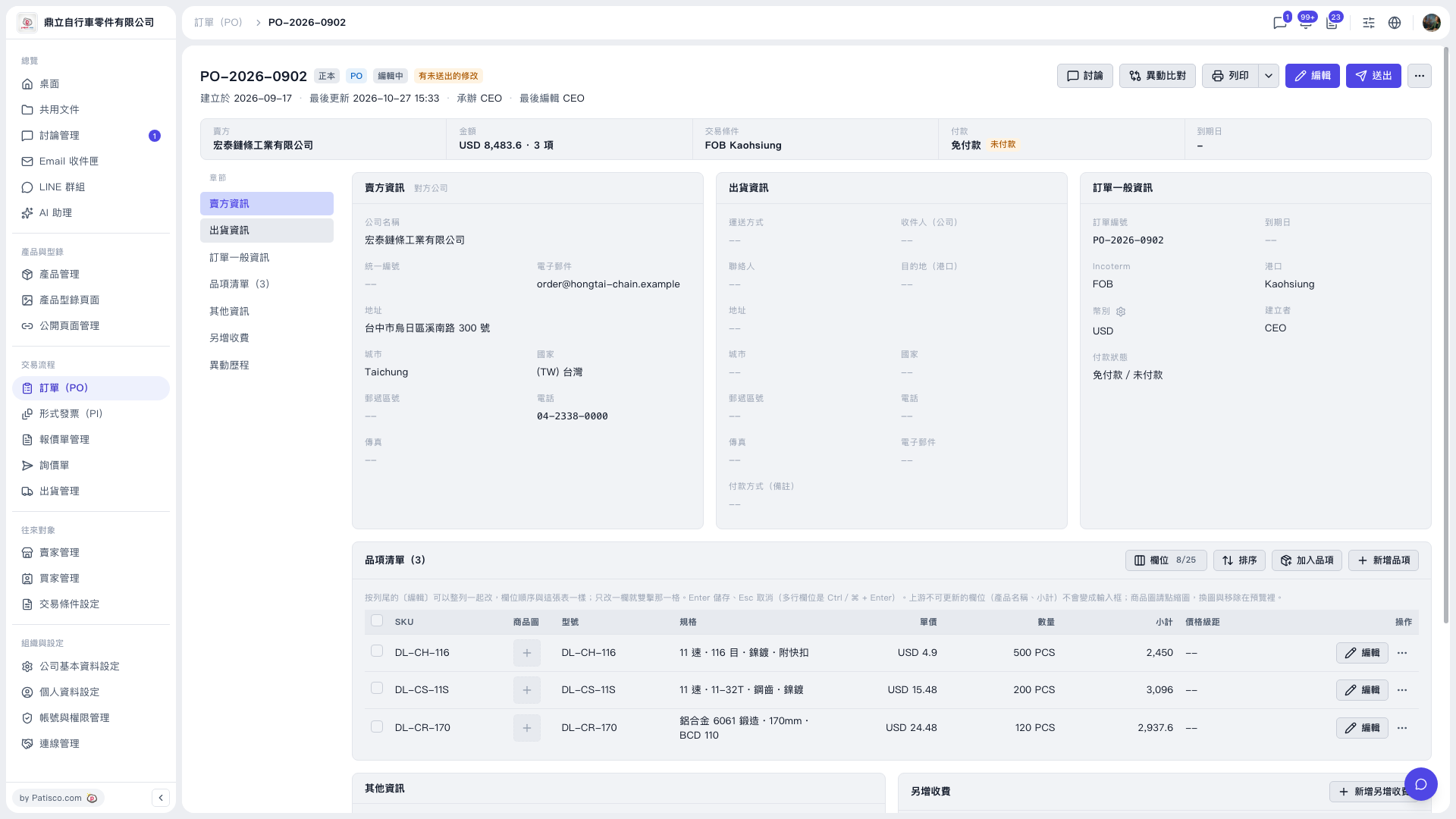 V5 新桌面版|PO-2026-0902(訂單詳情)