
1. At the top of the page, check that the PO number, status, seller, amount, and trading conditions are correct. 2. If you still need to fill in fields such as shipping information or due date, click the purple "Edit" button at the top right. If there are extra charges, go to the "Additional Charges" section at the bottom of the page and click "Add Additional Charge". 3. Once you have confirmed everything is correct, click "Send" at the top right to send any unsent changes to the seller. 4. To see the differences before and after the edit, click "Diff view" in the toolbar at the top right, or use the section navigation on the left to jump to "Change History".
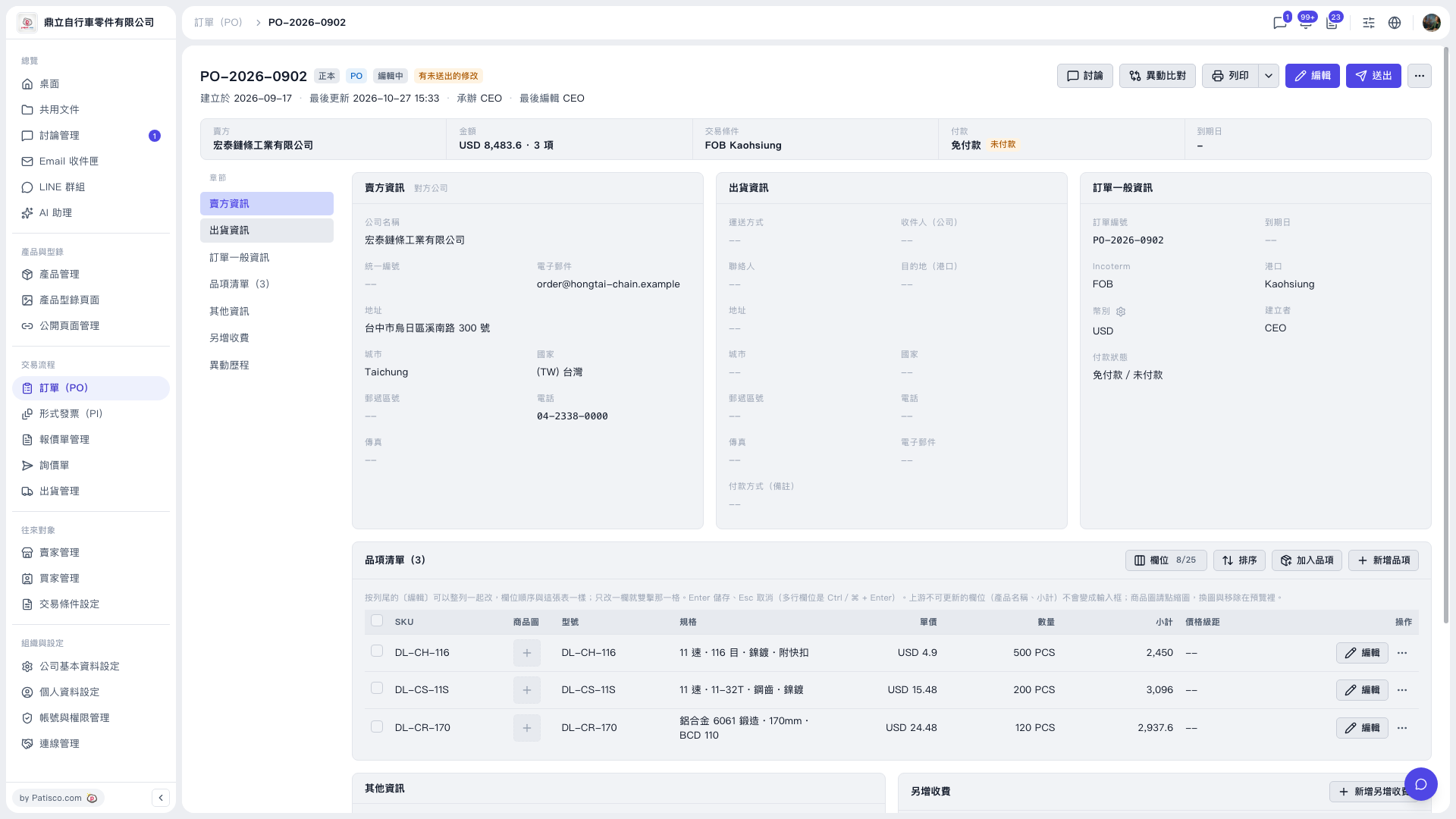 V5 新桌面版|PO-2026-0902(訂單詳情)