
1. In the left sidebar, click "Proforma Invoice (PI)". 2. From the list, open the document you want to view, for example PI-2026-0411. 3. First check the summary bar at the top to confirm the buyer, amount, trading conditions, and payment status. 4. To jump straight to a specific section, use the section navigation on the left side of the page and click "Buyer Information", "Shipping Information", "General Order Information", "Item List", "Shipping Progress", "Other Information", "Additional Charges", or "Change History".
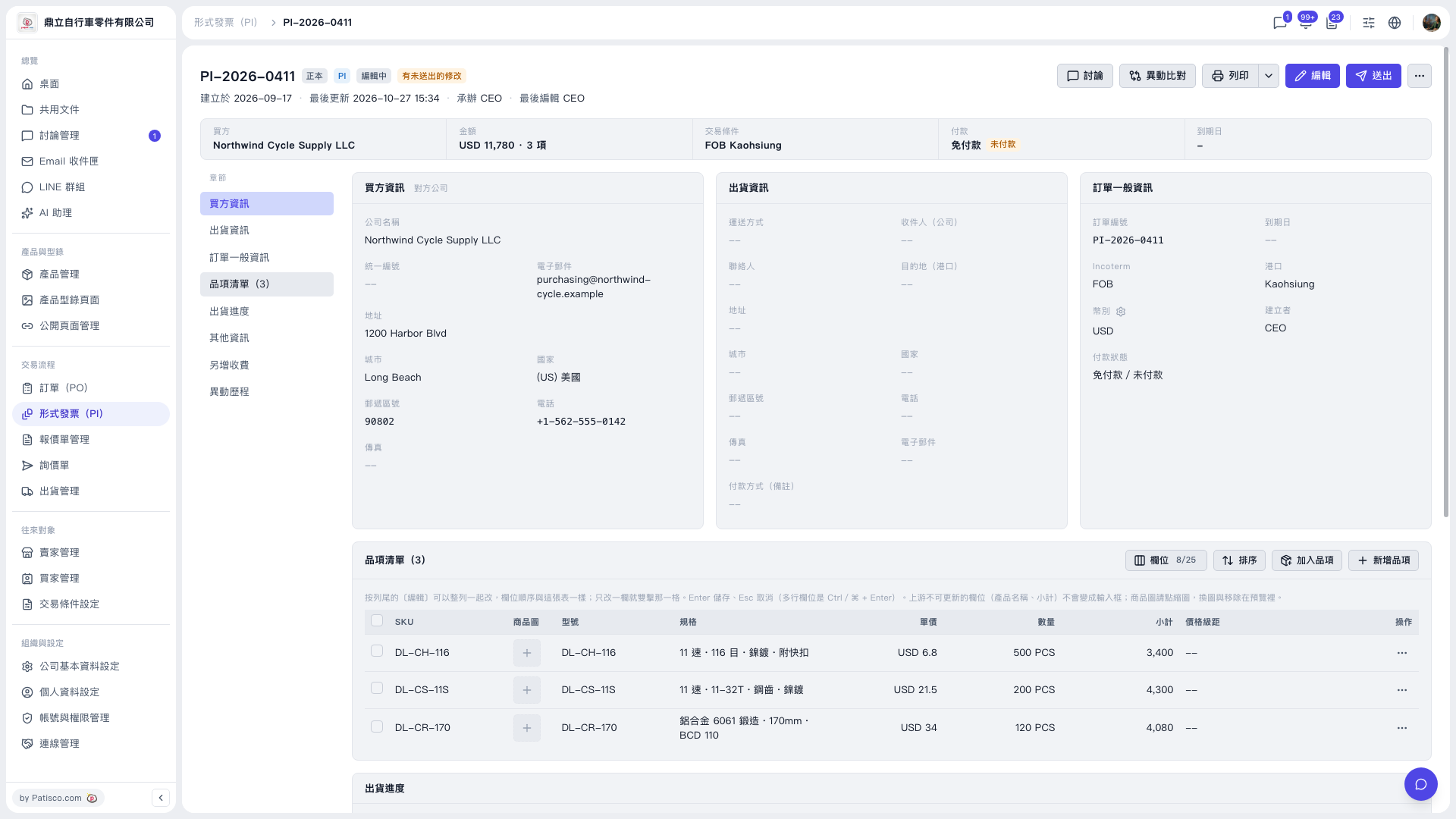 V5 新桌面版|PI-2026-0411(形式發票詳情)