
1. In the left sidebar, under "Products & Catalog", click "Product Management" to open the product list. 2. In the filter bar above the list, you can narrow the results with "All Statuses" or "All Groups", or type a product name keyword in the search box and press Enter. 3. Find the target product in the list. You can first check information such as SKU, status, and base selling price. 4. Click the "Edit" button on the right of that row to open the product details page, where you can view or modify the content. 5. For other actions, click the "… (More)" at the far right of that row to open the additional actions menu.
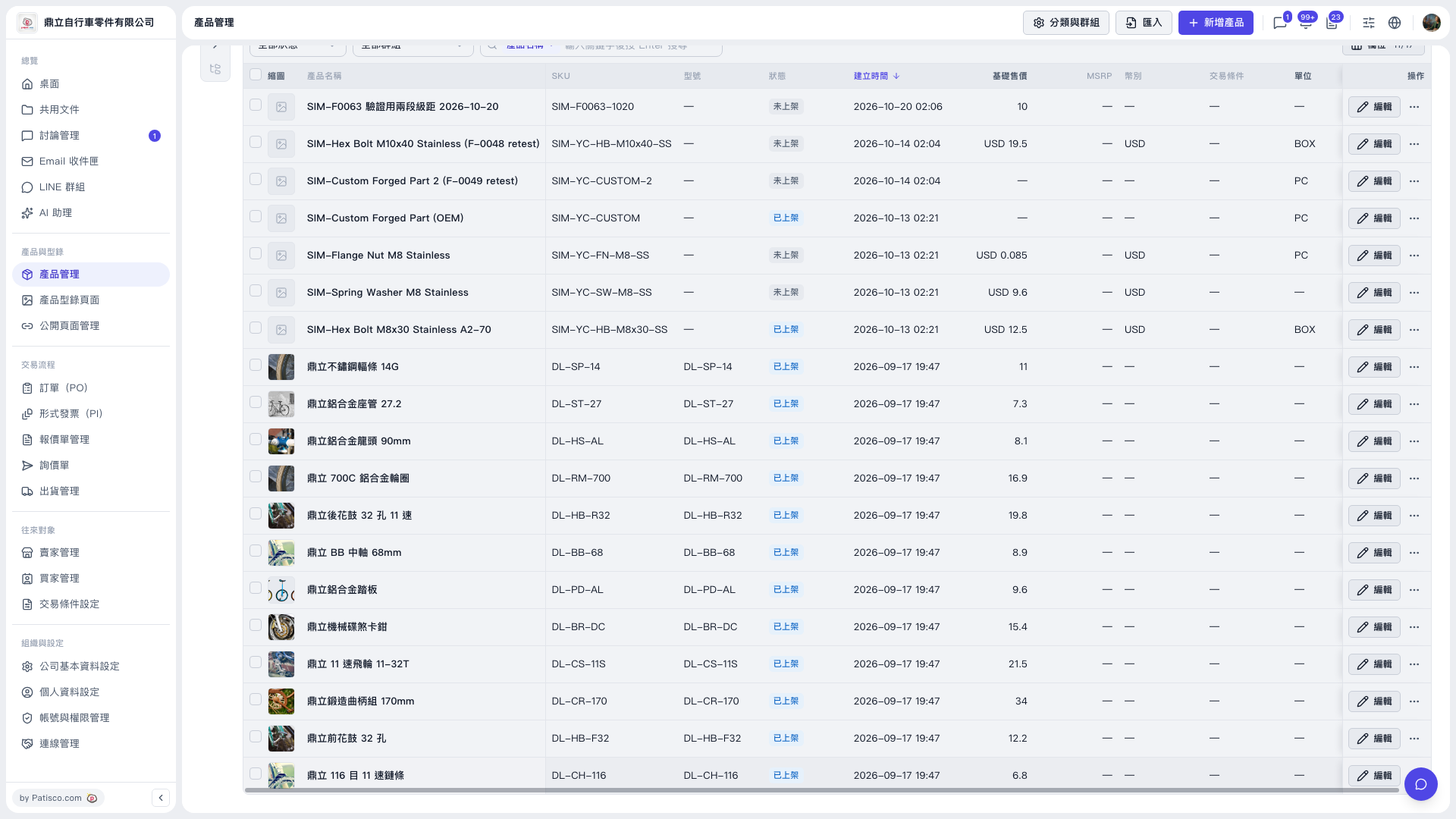 V5 新桌面版|產品管理