
1. In the left sidebar, go to "Product Management" under "Products & Catalog". 2. To add one product: click the blue "New Product" button at the top right to create a new product record. 3. To create in bulk: click "Import" at the top right to import product data in batches. 4. To adjust product categories or groups, click "Categories & Groups" at the top right to manage them. 5. After creation, the list is sorted by "Created Time" from newest to oldest by default, so new products usually appear at the top.
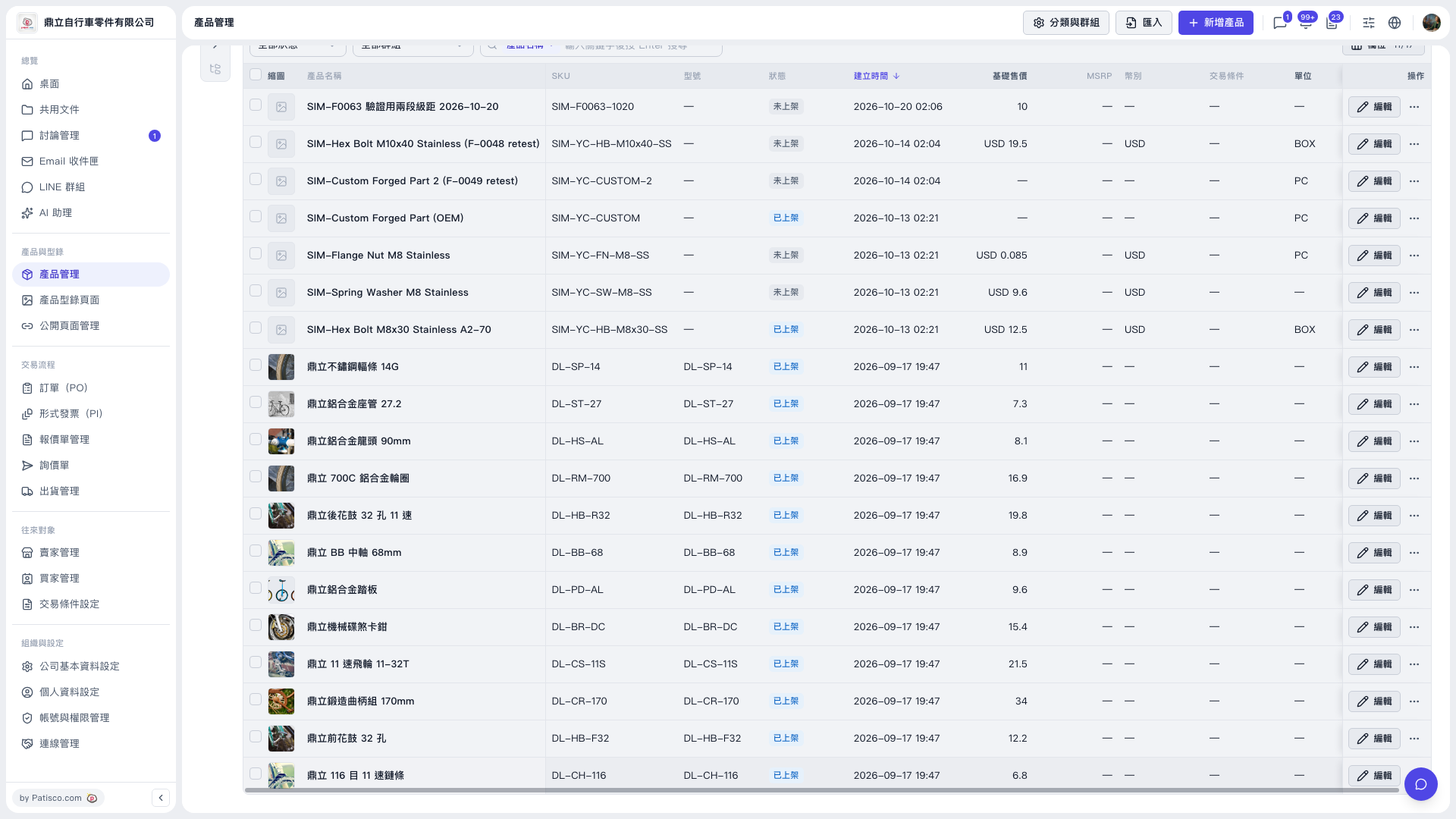 V5 新桌面版|產品管理