
1. In the left sidebar, click "Product Management" under "Products & Catalog". 2. In the product list, check the products you want to process. You can check multiple products, or use the checkbox in the header to select all. 3. Confirm that the bulk action bar showing "N selected" appears above the list. 4. Depending on what you need, click "Bulk list", "Bulk unlist", "Set category", or "Set group". 5. In the window that appears, confirm or fill in the settings and submit. 6. If you checked the wrong items, click "Clear selection" on the left side of the bulk action bar to clear the checkmarks.
Caution: The red "Bulk delete" at the far right of the bulk action bar deletes all checked products. Please double-check your selection before clicking it.
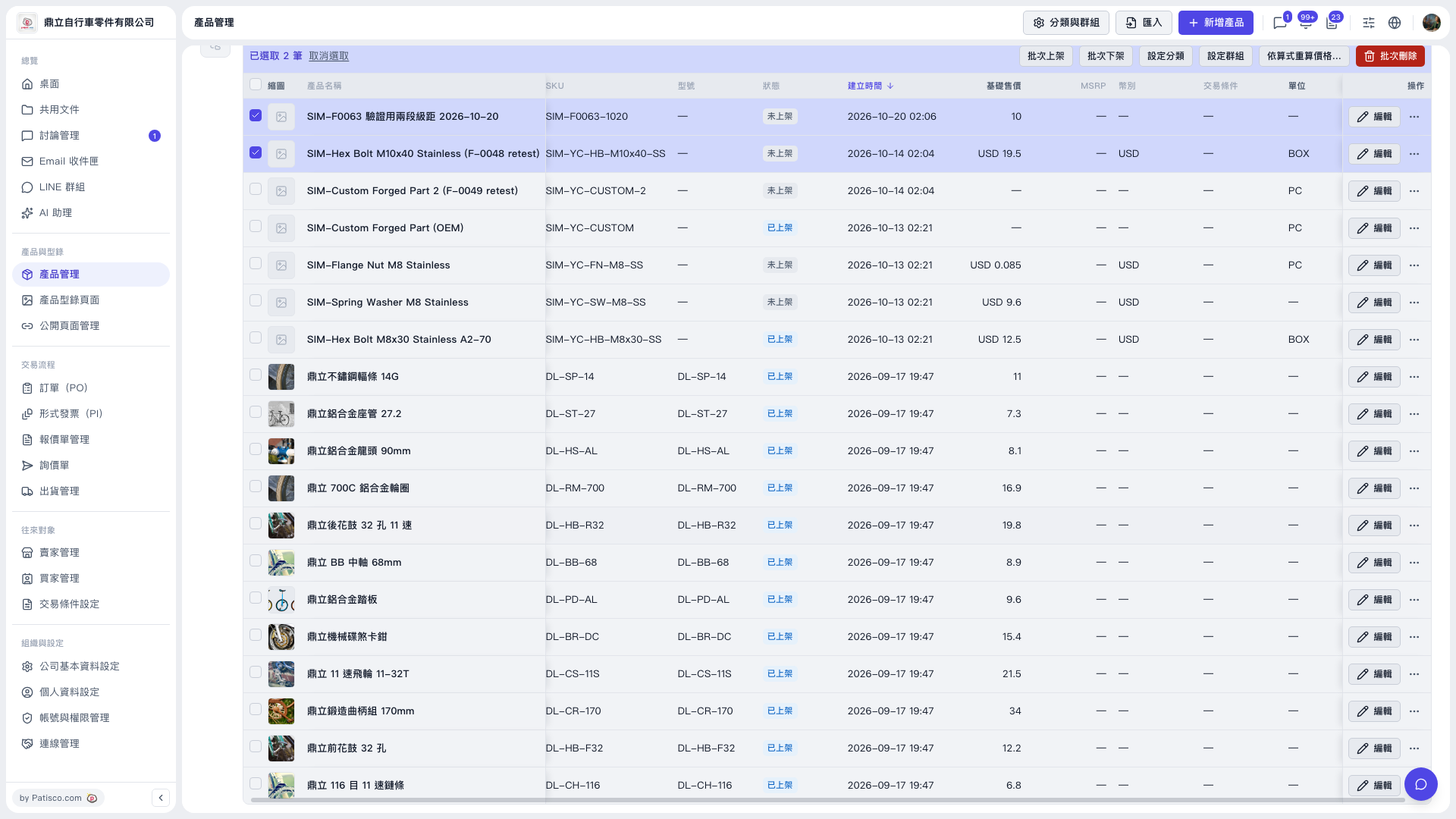 V5 新桌面版|產品管理