
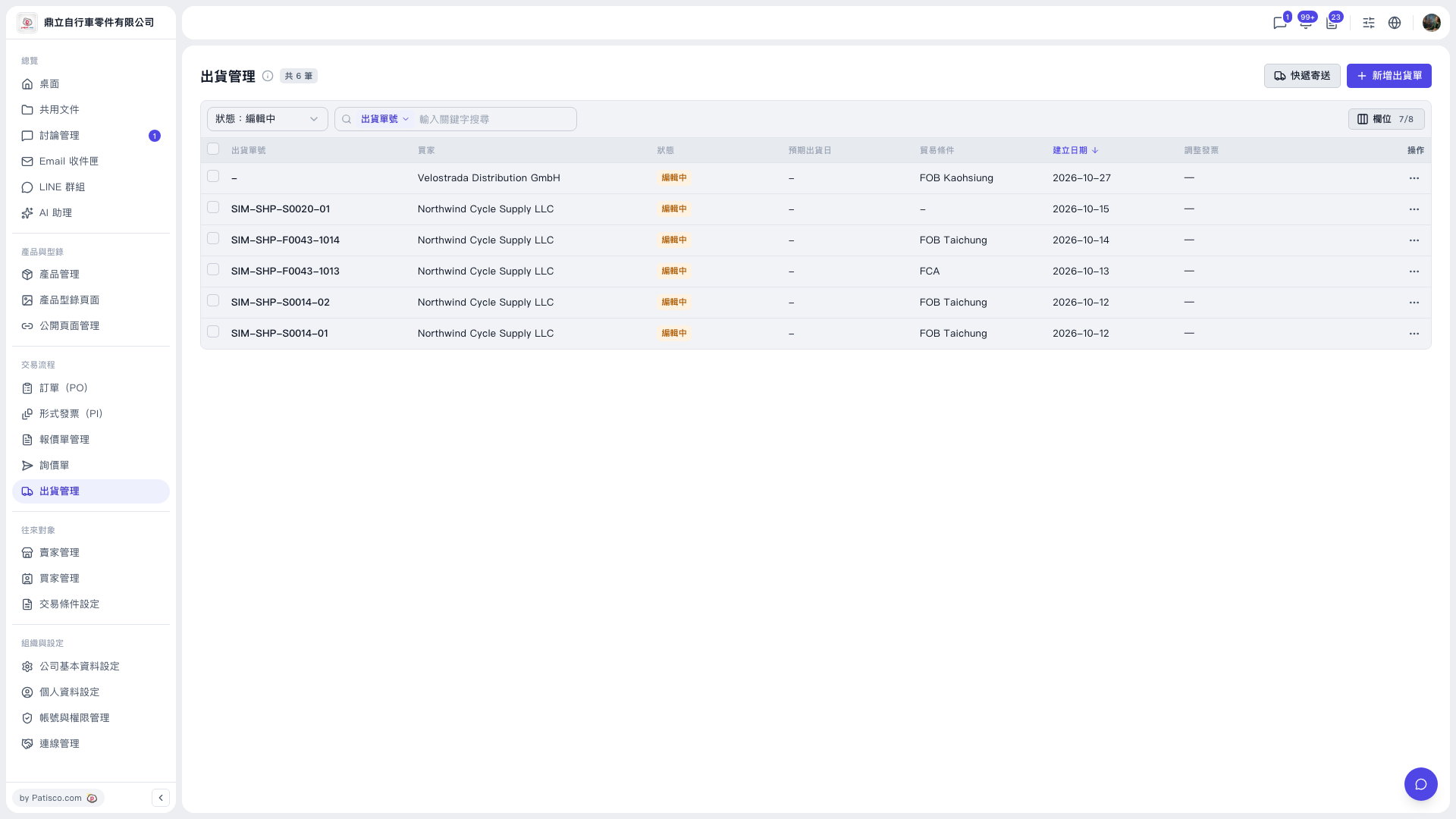
1. In the left sidebar, under "Transaction Flow", click "Shipping Management" to open the Shipping Management list. 2. To search by status, use the "Status" dropdown at the top left of the list (for example, "Editing"). 3. To search by keyword, first choose the search field in the search box above (for example, "Shipment No."), then enter the keyword. 4. Once found, click the shipment number in that row to open its details, or click the "⋯" at the far right of the row and choose the action you want. 5. If the information you want is not shown in the list, click "Columns 7/8" on the right and tick the columns to display. The list shows columns such as Shipment No., Buyer, Status, Expected Shipping Date, Trade Terms, Created Date, and Adjustment Invoice. Click the "Created Date" header to switch the sort order; it is currently newest first by default.
 V5 新桌面版|出貨管理