
1. In the left sidebar, under "Transaction Flow", click "Shipping Management". 2. Click the blue-purple "New Shipment" button at the top right. 3. Fill in the buyer, trade terms, expected shipping date, and other information as prompted on screen.
Note: If the goods are being sent by express courier, you can click "Express Shipping" to the left of "New Shipment" to go to the express shipping function.
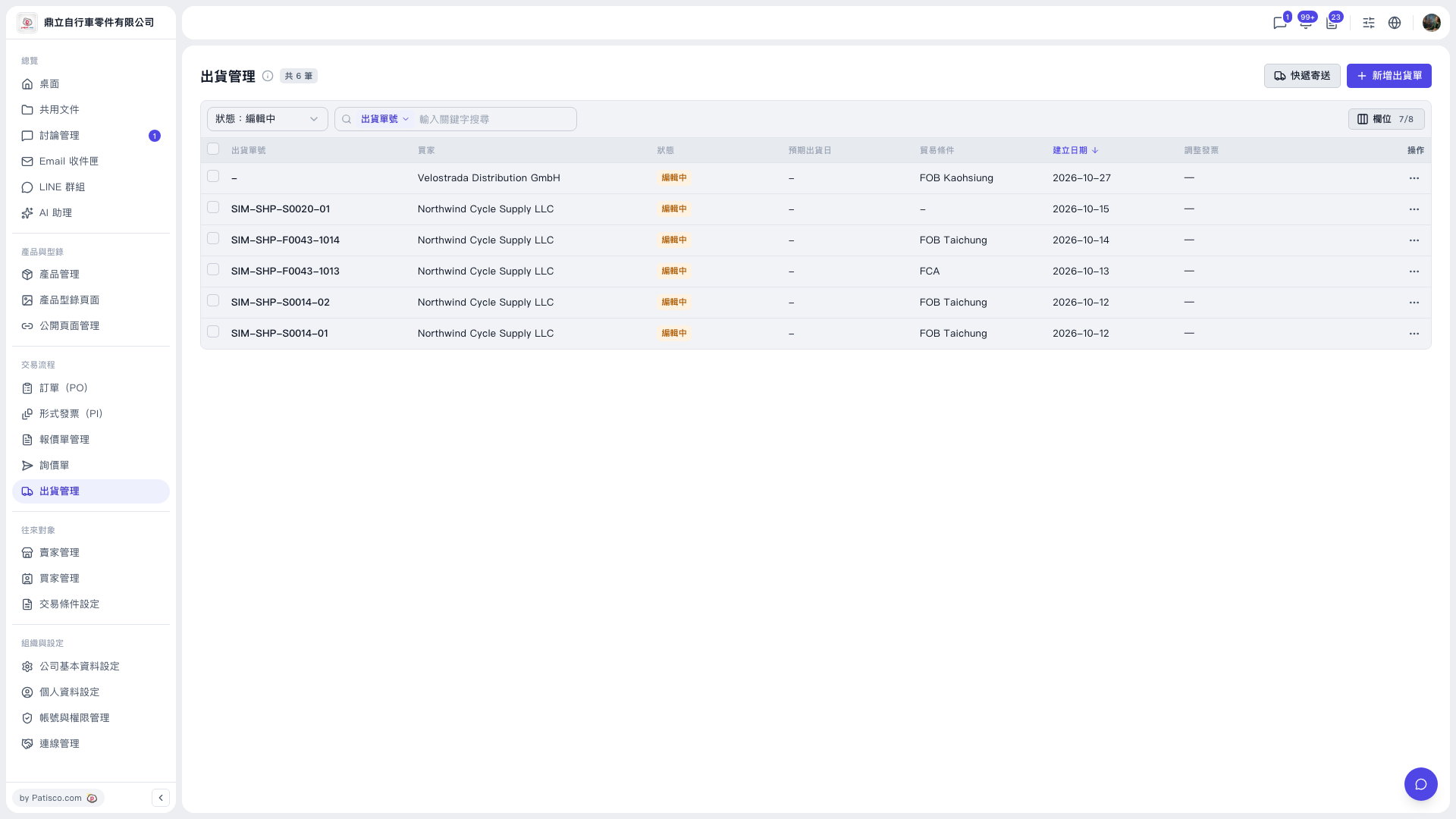 V5 新桌面版|出貨管理