
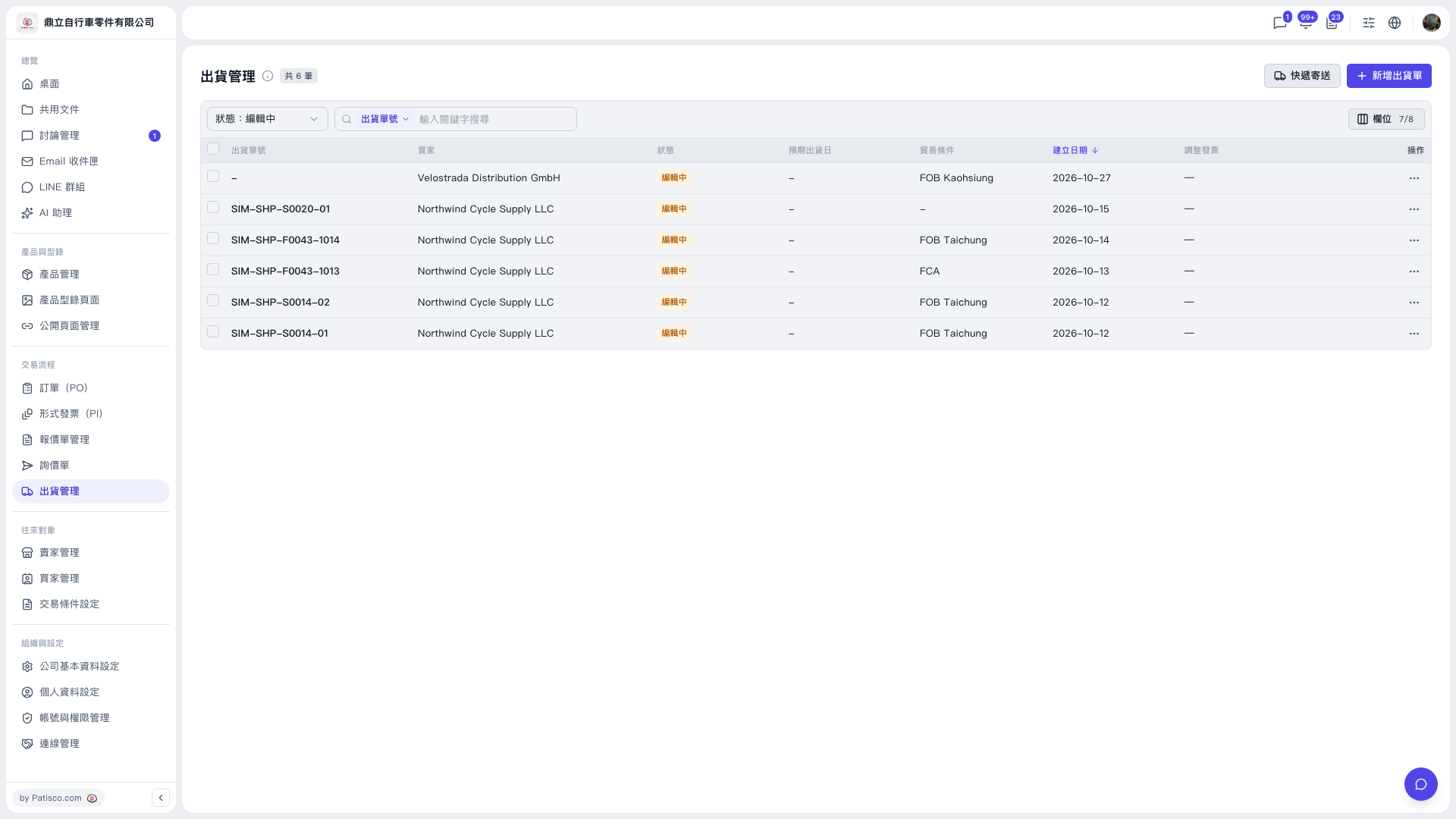
1. In the left sidebar, under "Transaction Flow", click "Shipping Management". 2. The filter bar at the top left of the list has a "Status" filter (for example, "Status: Editing"), which lets you narrow results by shipment status. 3. You can also use the "Shipment No." search box: first choose the search field, then enter a keyword. 4. Once found, click the shipment in the list to view it, or click the "⋯" at the far right of the row to open the more actions menu and edit it or perform other actions. 5. To adjust what the table shows, click "Columns 7/8" at the top right of the list to customize the columns. Click the "Created Date ↓" header to switch the sort order.
The list currently shows: Shipment No., Buyer, Status, Expected Shipping Date, Trade Terms, Created Date, Adjustment Invoice, and Actions.
 V5 新桌面版|出貨管理