
1. From the left sidebar, go to "Organization & Settings" and open "Company Profile Settings". 2. In the "Company Logo" section, click "Upload Logo" and choose a JPG or PNG file (only these two formats are accepted). 3. If you just want to remove the current logo, click "Remove" to the right of "Upload Logo".
Note: The document header image and the login page showcase image each have their own "Upload Image" and "Remove" buttons, so don't confuse them with the Logo ones. The login page showcase image must be a JPG, and it uploads as soon as you choose the file, so you don't need to click "Save".
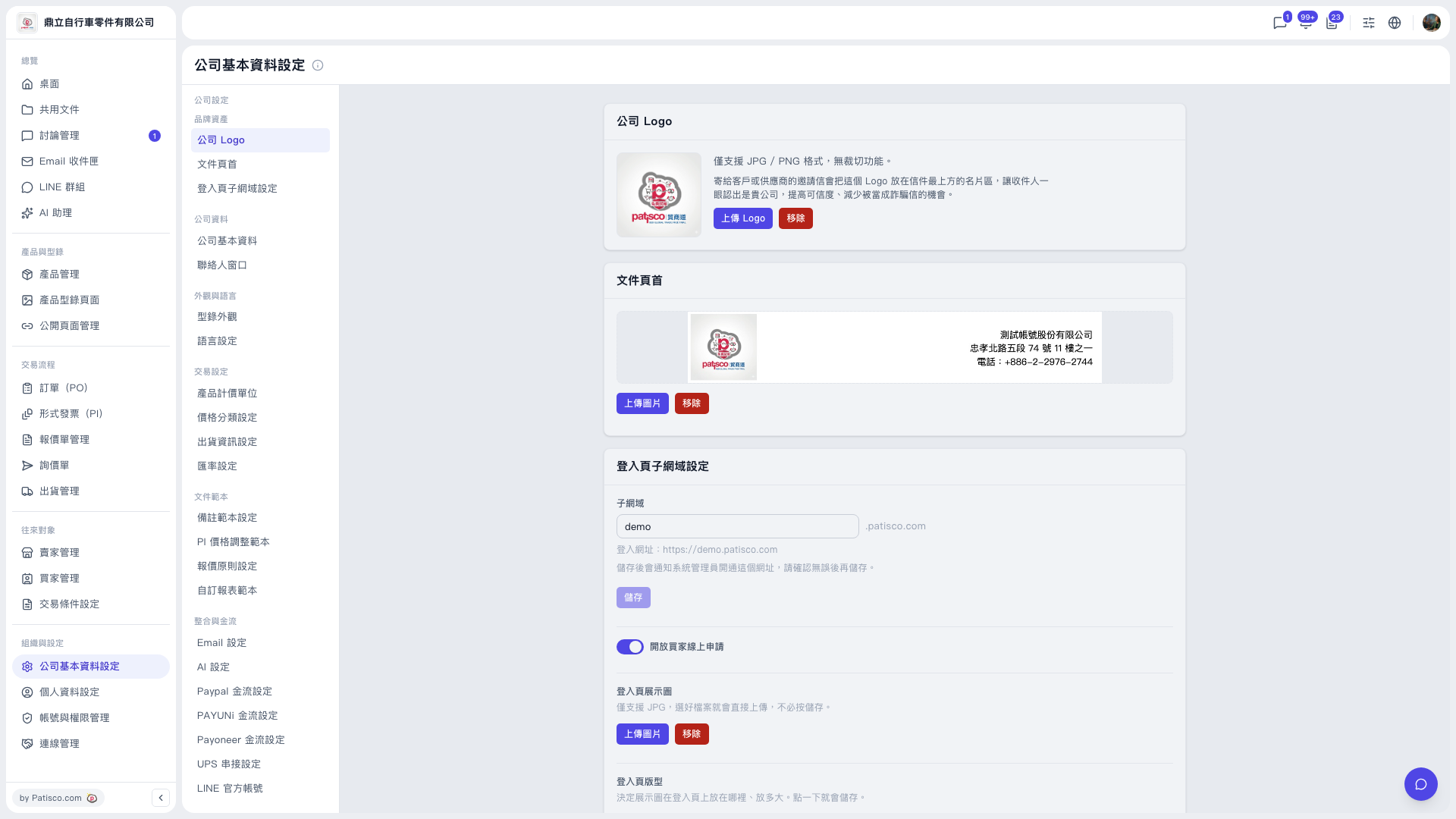 V5 新桌面版|公司基本資料設定