
1. Open the PI details page (for example PI-2026-0411) and check the tag at the top. If it shows "Unsubmitted changes", there are changes that have not been submitted yet. 2. Click "Edit" in the title bar at the top right to enter edit mode for the whole invoice. 3. Use the section navigation on the left to go to "Buyer Information", "Shipping Information", or "General Order Information", then check and fill in the fields (most fields in Shipping Information are currently empty). 4. Go to "Item List" and confirm that the unit prices, quantities, and subtotals are correct. 5. To check differences between versions, click "Diff view". 6. When everything is correct, click "Submit" at the top right. The changes take effect only after you submit.
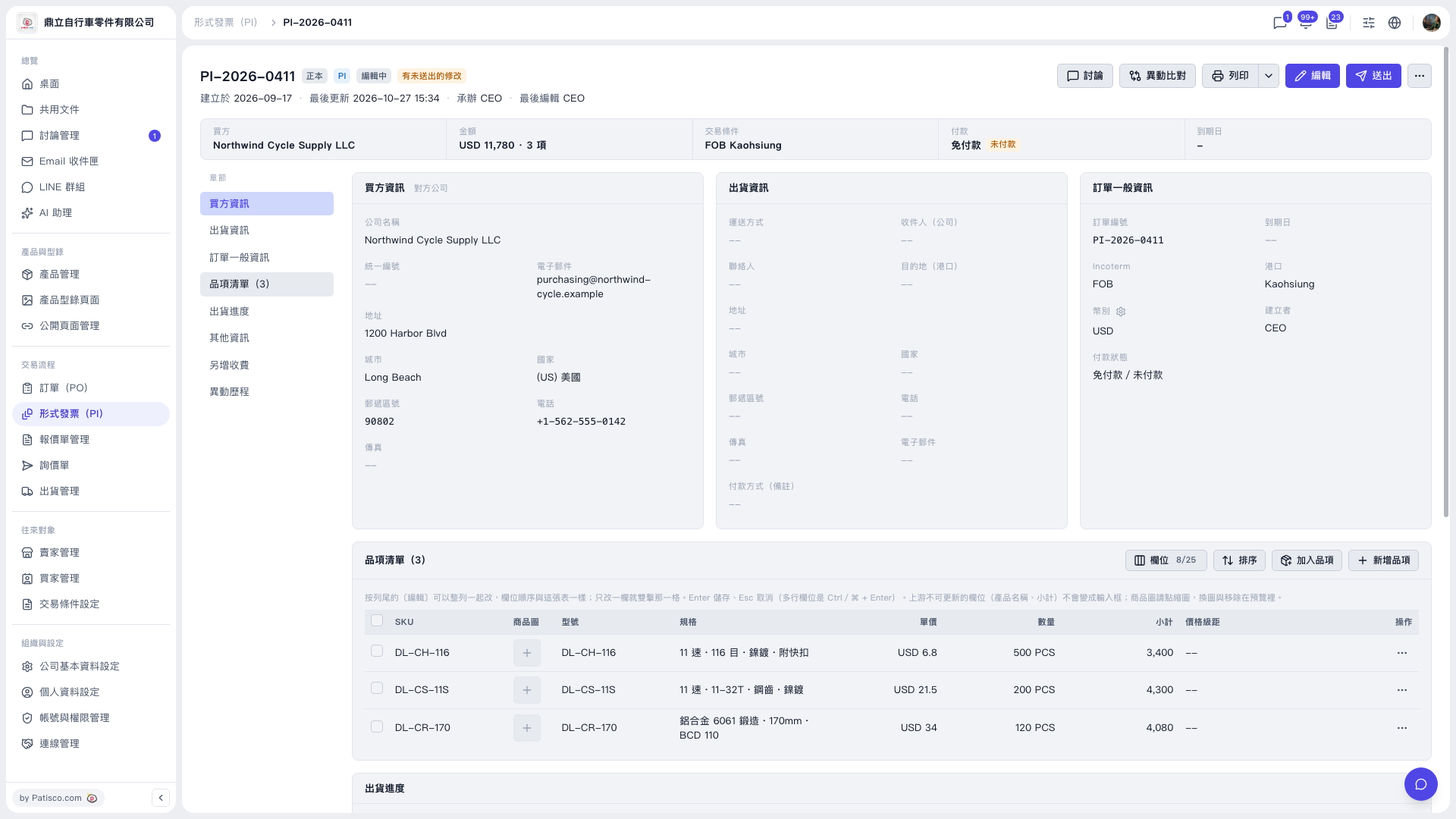 V5 新桌面版|PI-2026-0411(形式發票詳情/編輯中)