
1. Open the catalog edit page (for example "Dingli Parts Catalog"), then find and expand the "Banner" section in the left panel. 2. Click "Manage Images" to add or adjust banner images (up to 6). 3. Next to the 1st image, click "Motion Settings" to adjust that image's motion effect. You can set the direction, duration in seconds, and focus point. 4. You can set the other images individually too. In this catalog, for example, the 1st image is "bottom-right → top-left · 10 sec · focus centered", and the 2nd is "right → left · auto duration · focus set". 5. Check the effect in the preview on the right, then click "Upload Changes" at the top right so the changes apply to the public page.
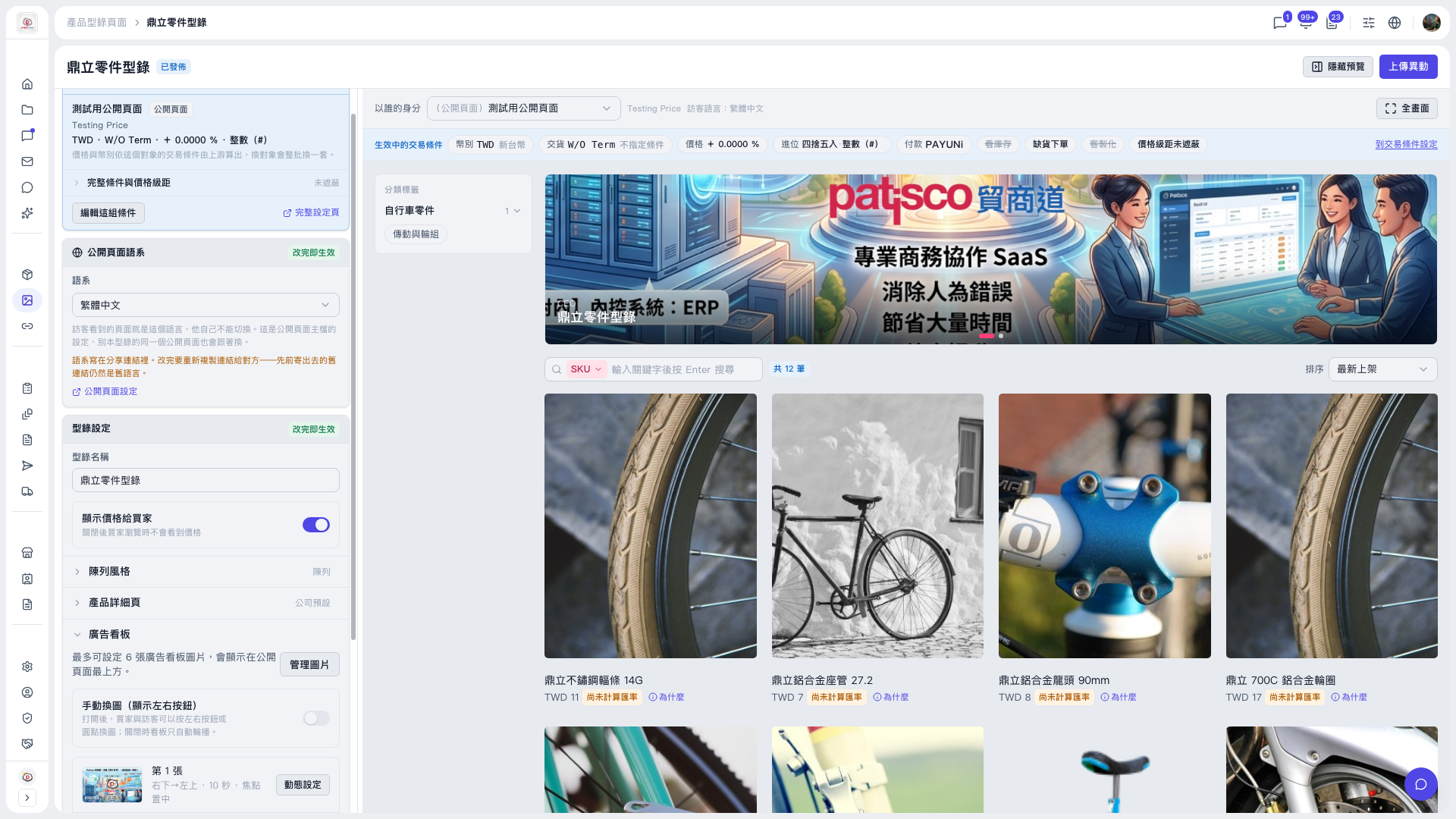 V5 新桌面版|鼎立零件型錄(產品型錄編輯頁,狀態:已發佈)