
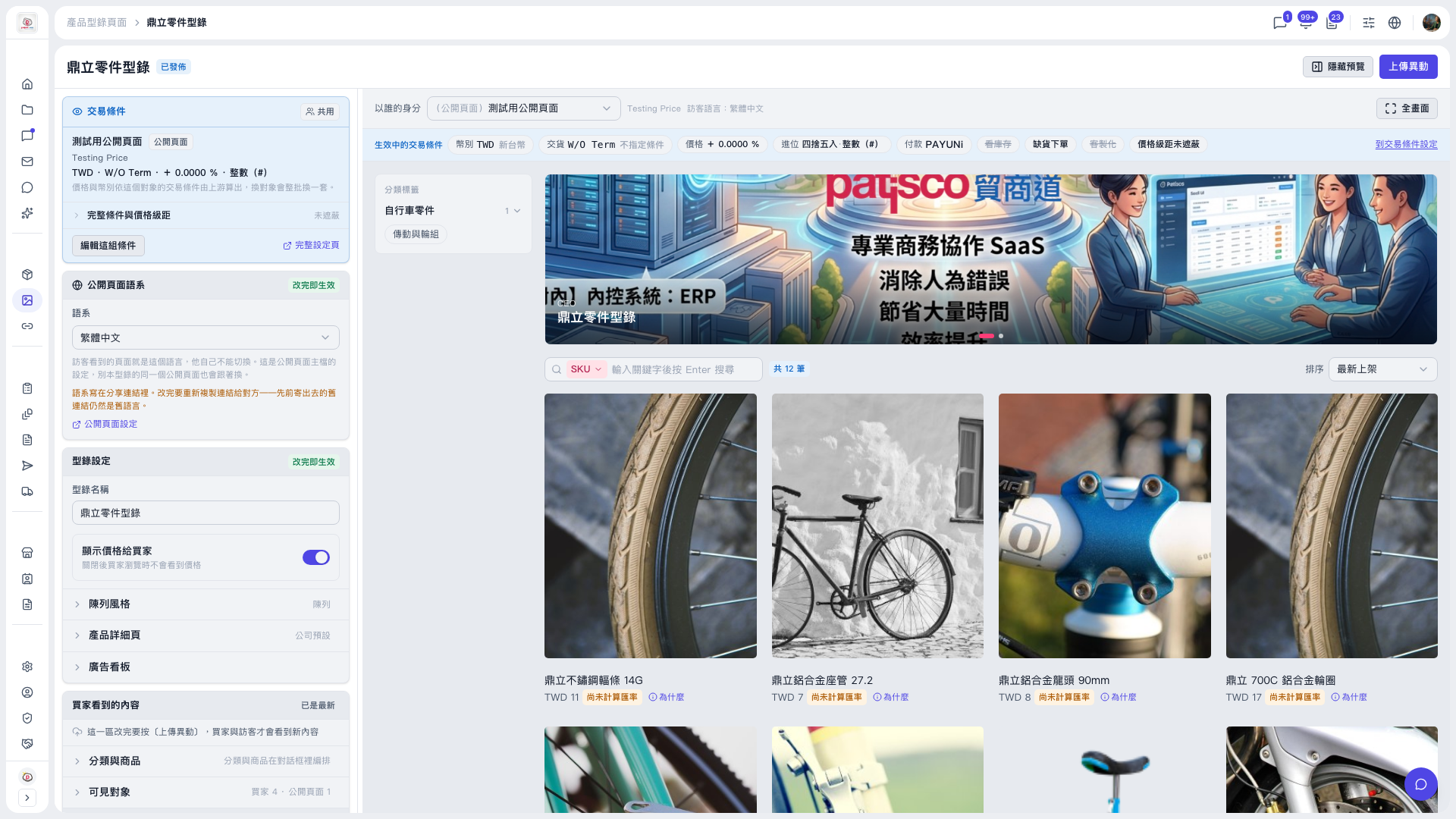
1. Open the catalog page (for example "Dingli Parts Catalog") and find the "Catalog Settings" card on the left. 2. Expand "Banner" and set the banner content and the carousel effect. 3. The preview area on the right immediately shows the result, so you can check it without publishing first. 4. When everything looks fine, click "Upload Changes" at the top right. Buyers and visitors will only see the new content after that.
Note: In the demo catalog, there are currently 2 banners, and one of them is set to a 10-second carousel.
 V5 新桌面版|鼎立零件型錄