
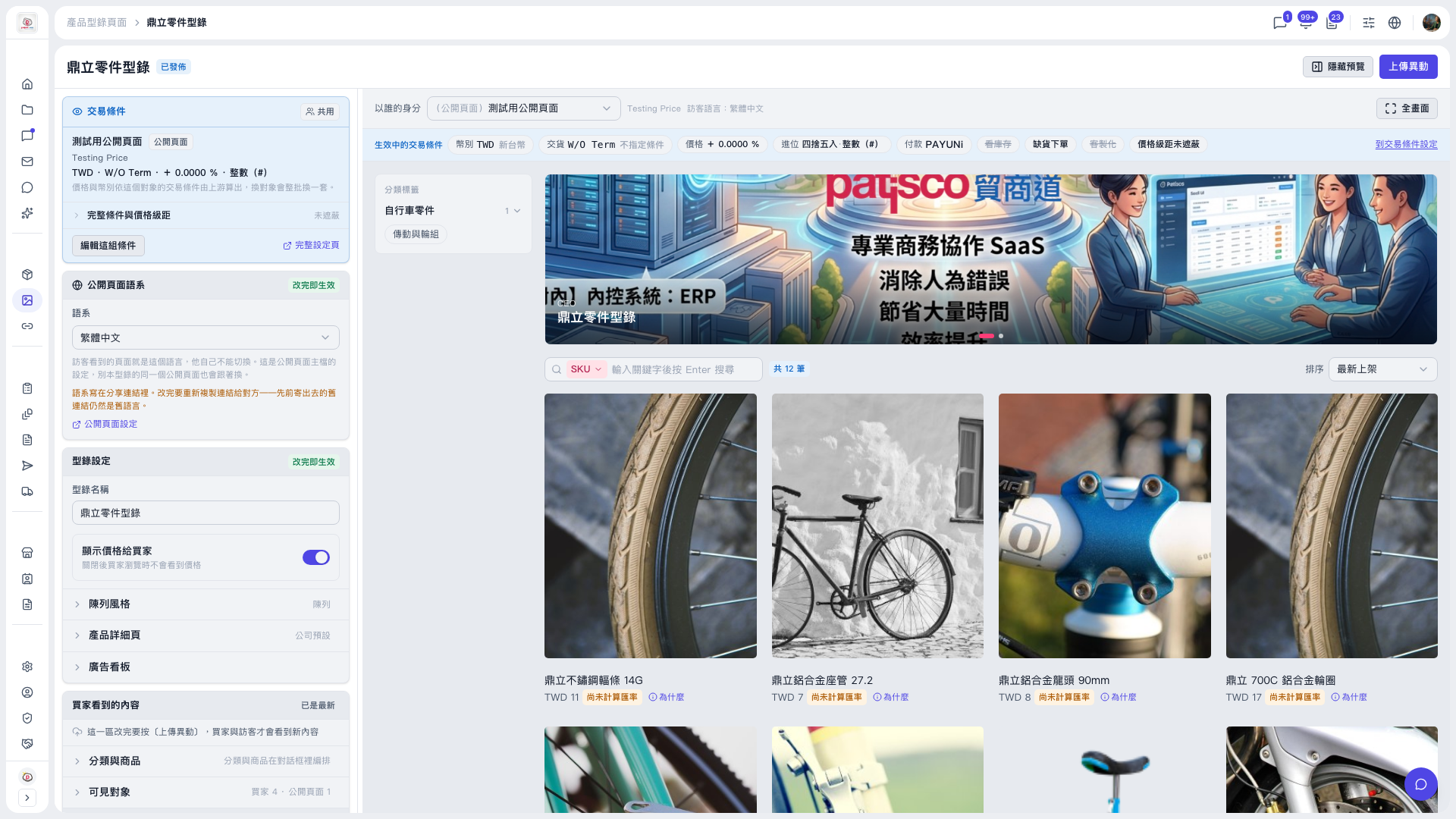
1. Above the preview area on the right, find the "View as" dropdown (currently showing "(Public page) Test public page"). 2. Switch to the buyer or visitor identity you want to check, and the preview content changes accordingly. 3. To check whether prices are shown, go to the "Catalog Settings" card on the left and look at the "Show prices to buyers" toggle (currently on). 4. To adjust the products or who can see them, expand "What buyers see" on the left and edit "Categories and products" and "Visible to". 5. When everything looks right, click "Upload Changes" at the top right to publish.
You can also enlarge the preview area with "Full screen", or collapse it with "Hide preview".
 V5 新桌面版|鼎立零件型錄