
1. In the left sidebar, under "Organization & Settings", click "Profile Settings". 2. Scroll down to the "My Mailbox" section and first check the current status under "Connected mailboxes" (for example "Syncing") to confirm you haven't connected one already. 3. Under "Connect a mailbox", click "Connect Google mailbox" (Gmail) or "Connect Microsoft mailbox" (Outlook). For testing, you can click "Connect test mailbox". 4. Complete the authorization on the official Google or Microsoft authorization page that appears. 5. After connecting, if you want to import older emails as well, click "Fetch last 30 days" below the connected mailbox. 6. If you no longer want to sync later, click "Disconnect" in the same section.
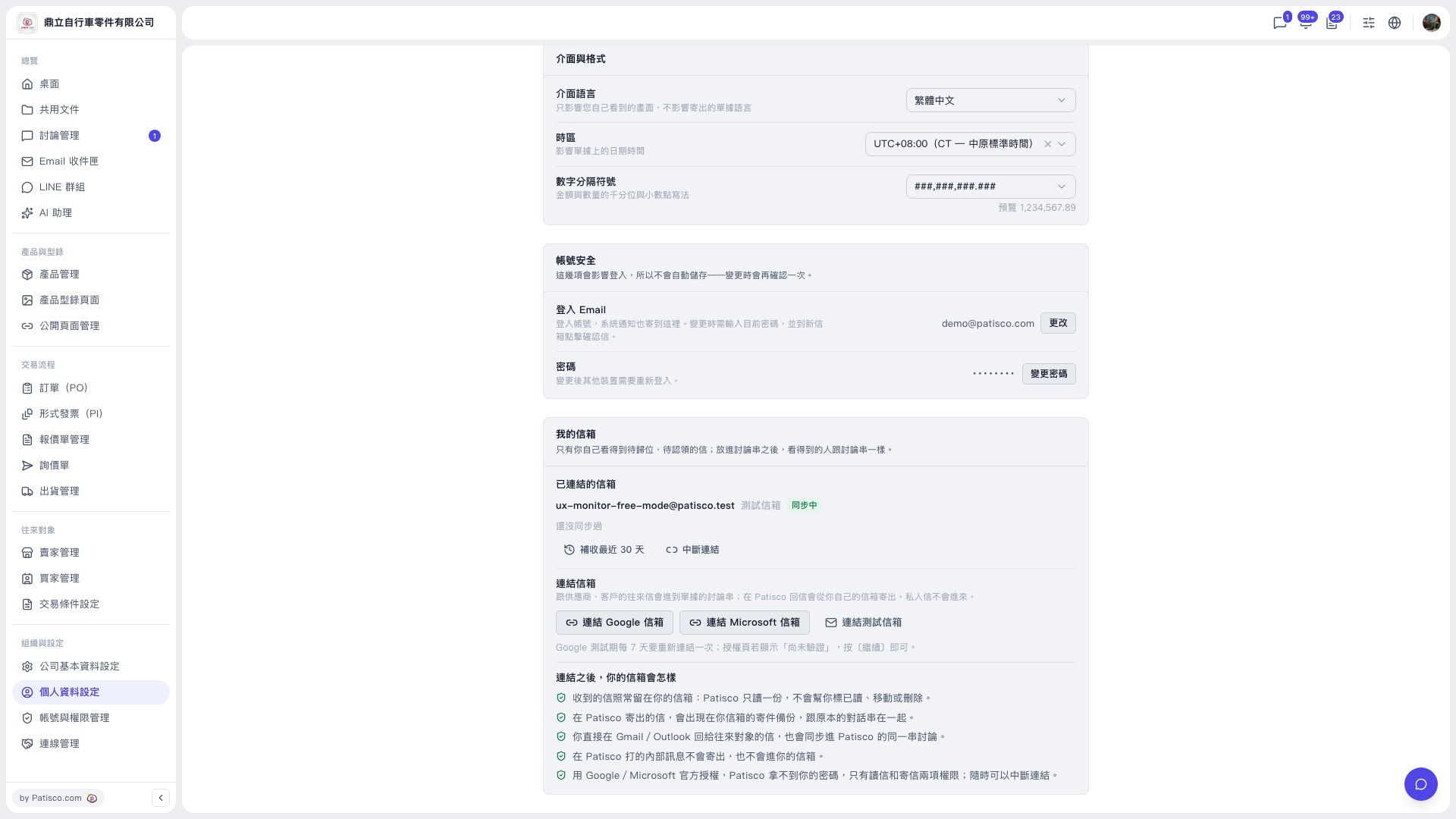 V5 新桌面版|個人資料設定