
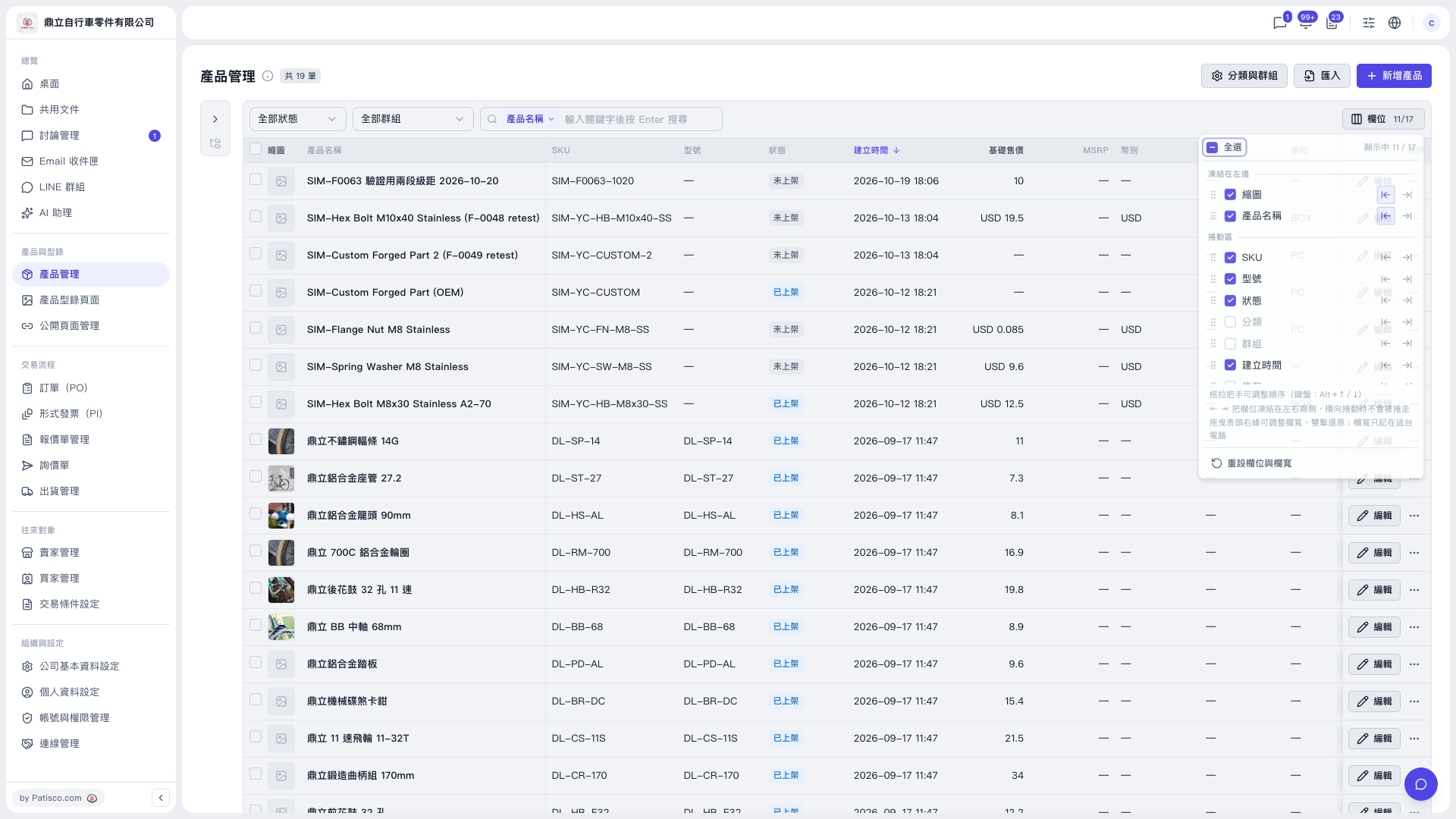
1. In the left sidebar, click "Product Management" under "Products & Catalogs". 2. Click the "Columns 11/17" button on the right side of the toolbar above the table to open the columns panel (11/17 means 11 columns are currently shown out of 17 in total). 3. Under "Frozen on left" or "Scroll area", check or uncheck columns to decide which to display. "Select all" checks all columns at once. 4. The available columns are: Thumbnail, Product name, SKU, Model, Status, Category, Group, Created at, Stock, Base selling price, MSRP, Currency, Trading condition, Unit, Created by, Last modified, Listed/Delisted time.
By default, the checked columns are Thumbnail, Product name, SKU, Model, Status, Created at, Base selling price, MSRP, Currency, Trading condition, and Unit. Category, Group, Stock, Created by, Last modified, and Listed/Delisted time are not checked by default; check them yourself if you want to see them.
 V5 新桌面版|產品管理