
1. In the left sidebar, click "Discussion Management" to go to the discussion list. 2. In the list on the left, click the thread you want to view. To start a new one, click "New discussion" above the list. 3. To add someone, click "Add participant" in the "Discussion info" panel on the right. 4. In the "Type a message" field at the bottom of the center panel, type your content and click "Send". The message is posted in this thread. 5. If you need to attach a file, click the paperclip icon on the left of the input box to upload it.
Note: If you don't see the "People in this thread" section in the right panel, it means this thread currently has no contact person or email participant. This is normal.
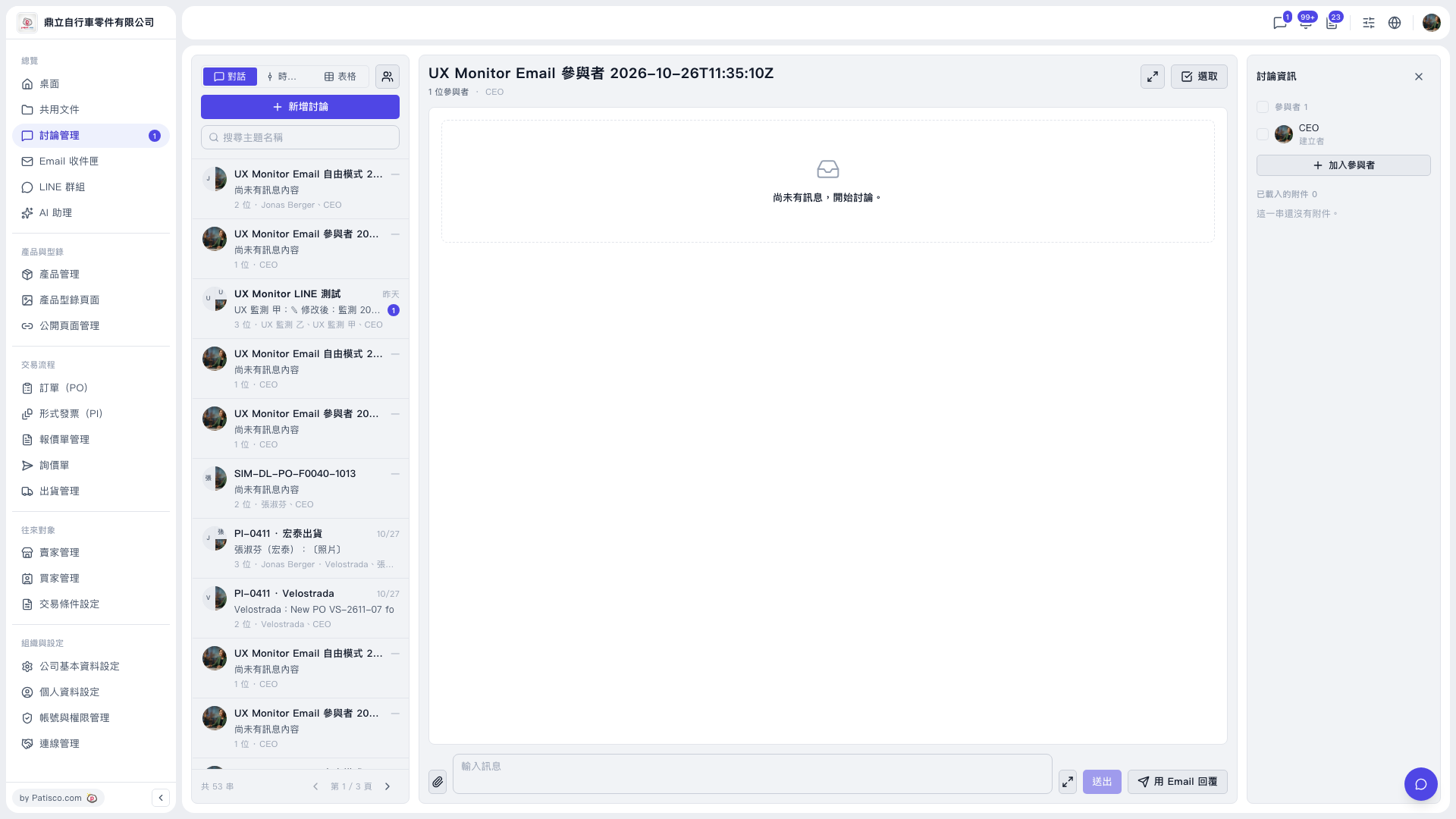 V5 新桌面版|UX Monitor Email 參與者 2026-10-26T11:35:10Z(討論管理)