
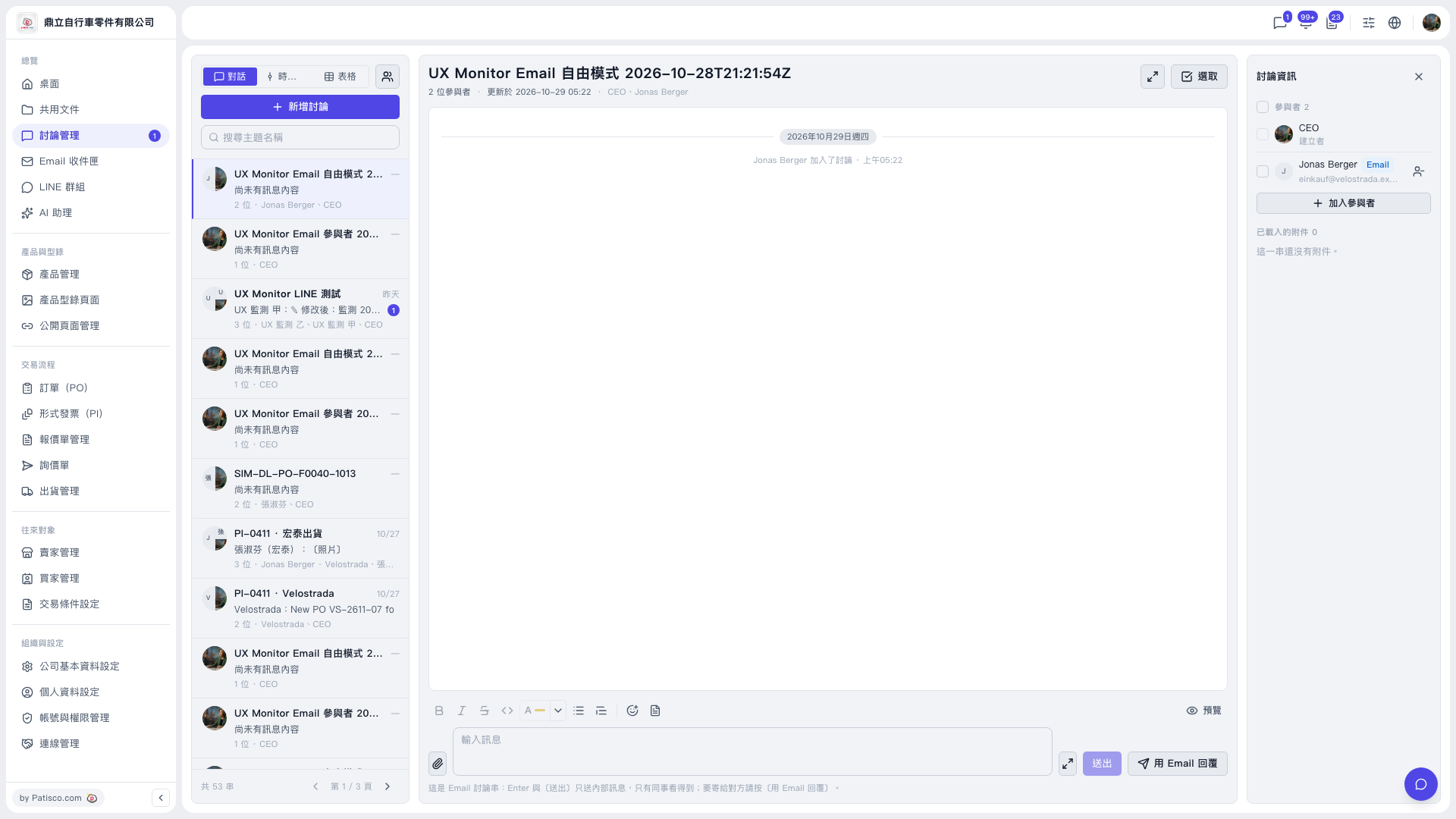
No. Enter only sends an "internal message", which only internal colleagues can see. To send it to the other party, follow these steps: 1. In the left sidebar, click "Discussion Management". 2. In the discussion list, click the thread you want to handle. 3. First check the participants in the "Discussion info" panel on the right, and click "Add participant" to add someone if needed. 4. Type your content in the "Type a message" field at the bottom, and use the paperclip to add attachments if needed. 5. If it is only for your colleagues to see, just click "Send" or press Enter. 6. If you want the email participant (an external party) to see it, click "Reply by email" at the bottom right of the chat area.
 V5 新桌面版|討論管理(討論串:UX Monitor Email 自由模式 2026-10-28T21:21:54Z)