
1. In the left sidebar, click "PO" and open the PO you want to work on (for example, SIM-DL-PO-F0040-1013). 2. Click the discussion entry on the page to open the "Discussion" panel on the right. 3. Click the blue "Email to…" at the top of the panel, or click "Compose" near the top center. 4. On the compose screen, confirm the recipient (the seller's email address is filled in by default), enter the subject and content, and send. 5. The other party's reply comes back into the same email discussion, and you can view it in this panel.
Note: "Compose" can only be clicked when a mailbox is linked. If you only want to communicate within the platform, click "Patisco Discussion" instead.
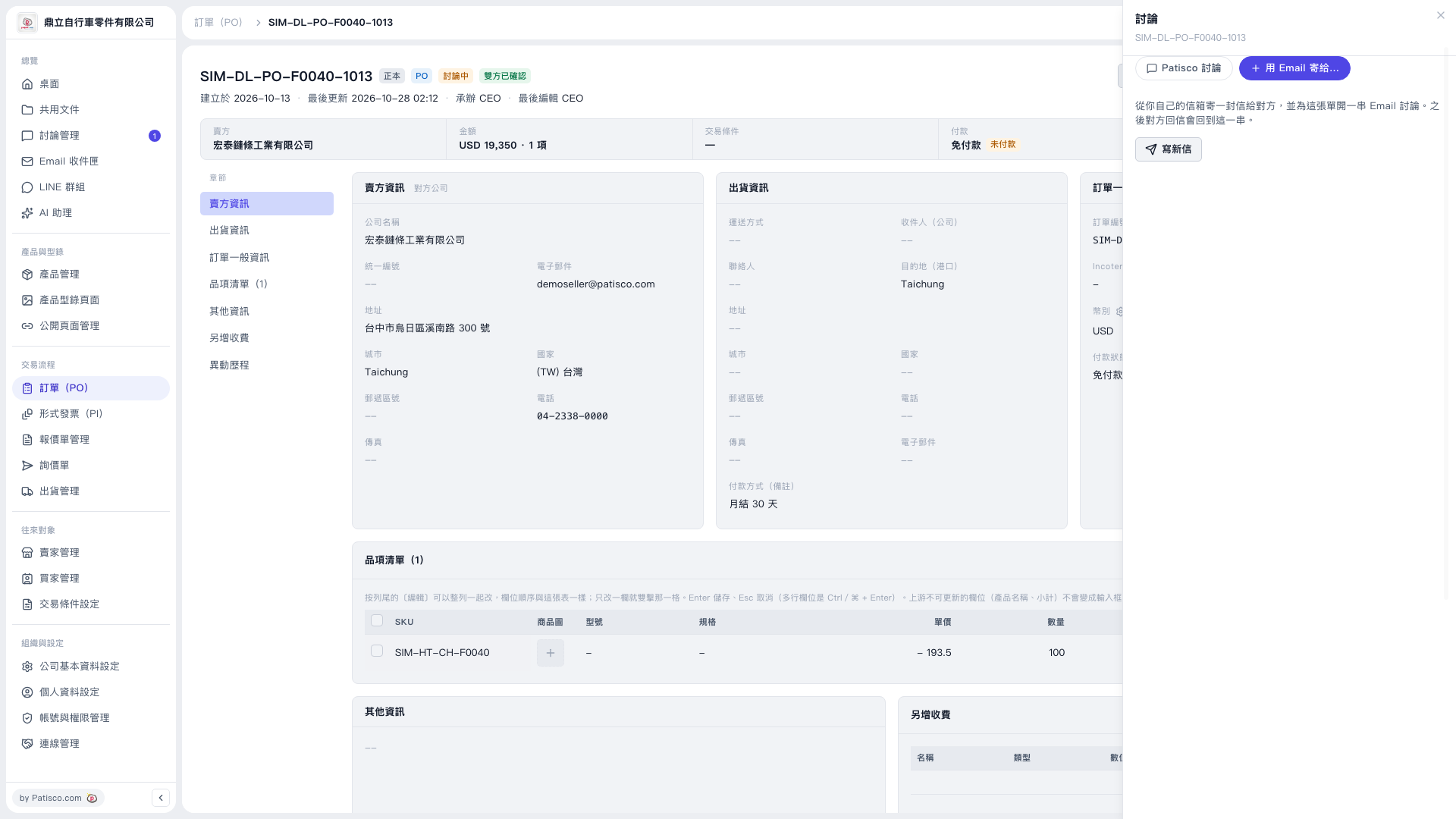 V5 新桌面版|SIM-DL-PO-F0040-1013(訂單詳情,右側開啟「討論」面板)