
1. In the left sidebar, click "Inquiry" and open the inquiry you want to check (for example, SIM-INQ-F0070-1026). 2. First look at the status label next to the title. If it shows "Unsent changes", there are changes that have not yet been sent. 3. Click "Compare Changes" in the title bar at the top right. 4. The screen compares this round of edits with the previous version so you can see which content has changed. 5. Once you have confirmed everything is correct, click "Send" at the top right to send the inquiry to the other party.
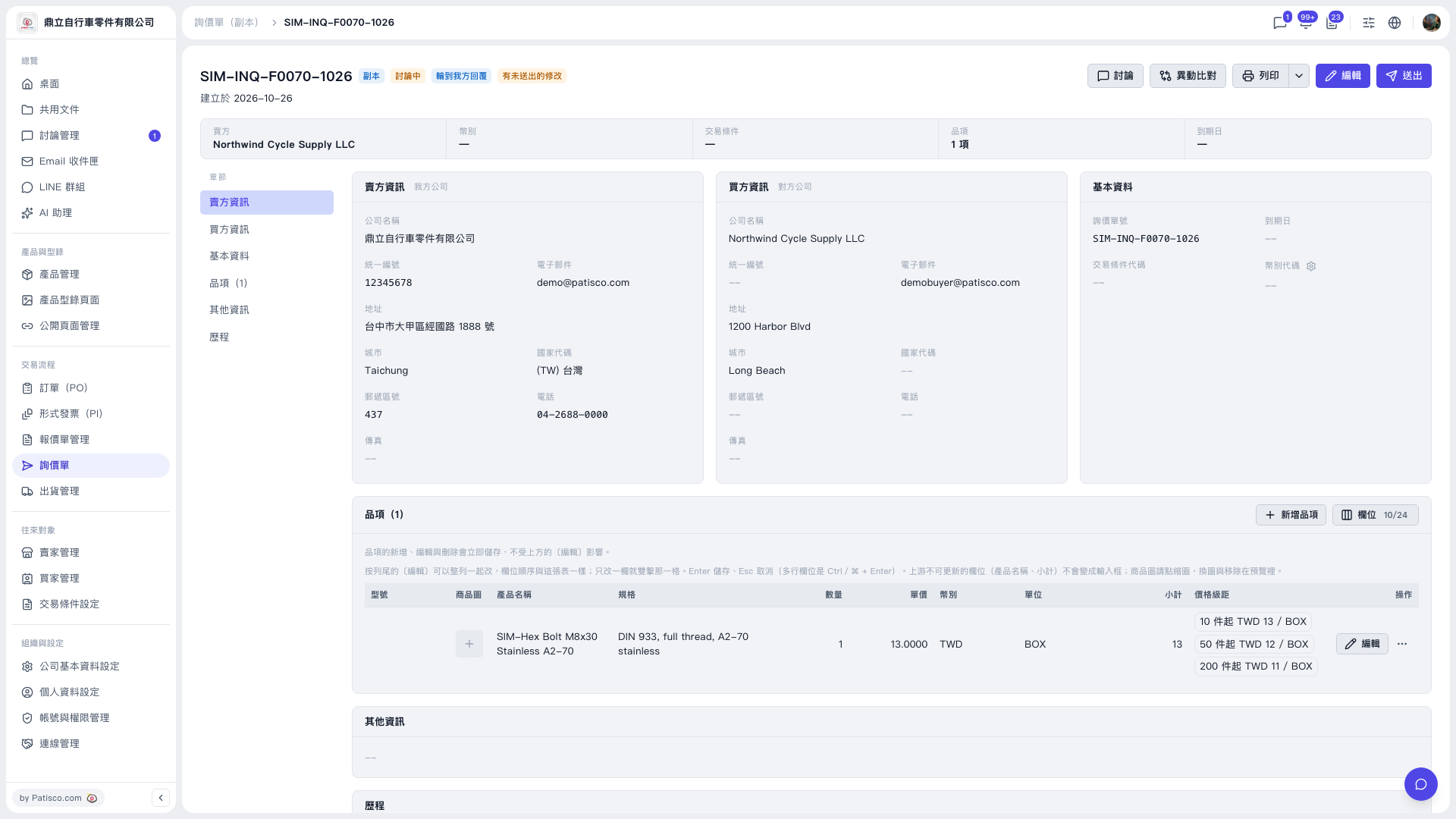 V5 新桌面版|SIM-INQ-F0070-1026(詢價單詳情,副本)