
1. To adjust items: click "Add item" at the top right of the items section, or click "Edit" on the right of the item row to edit the whole row. Adding, editing, and deleting items are saved immediately. 2. To delete an item: click "⋯" at the far right of the item row and choose Delete or another action. 3. To edit the seller, buyer, or basic information: click "Edit" in the title bar at the top right to enter edit mode for the whole inquiry. 4. After editing, you can first click "Compare Changes" to check the differences, then click "Send" at the top right to send the unsent changes to the other party. 5. If you need to communicate with the other party, click "Discussion".
Tip: The columns shown in the items table can be customized by clicking "Columns 10/24" at the top right of the items section.
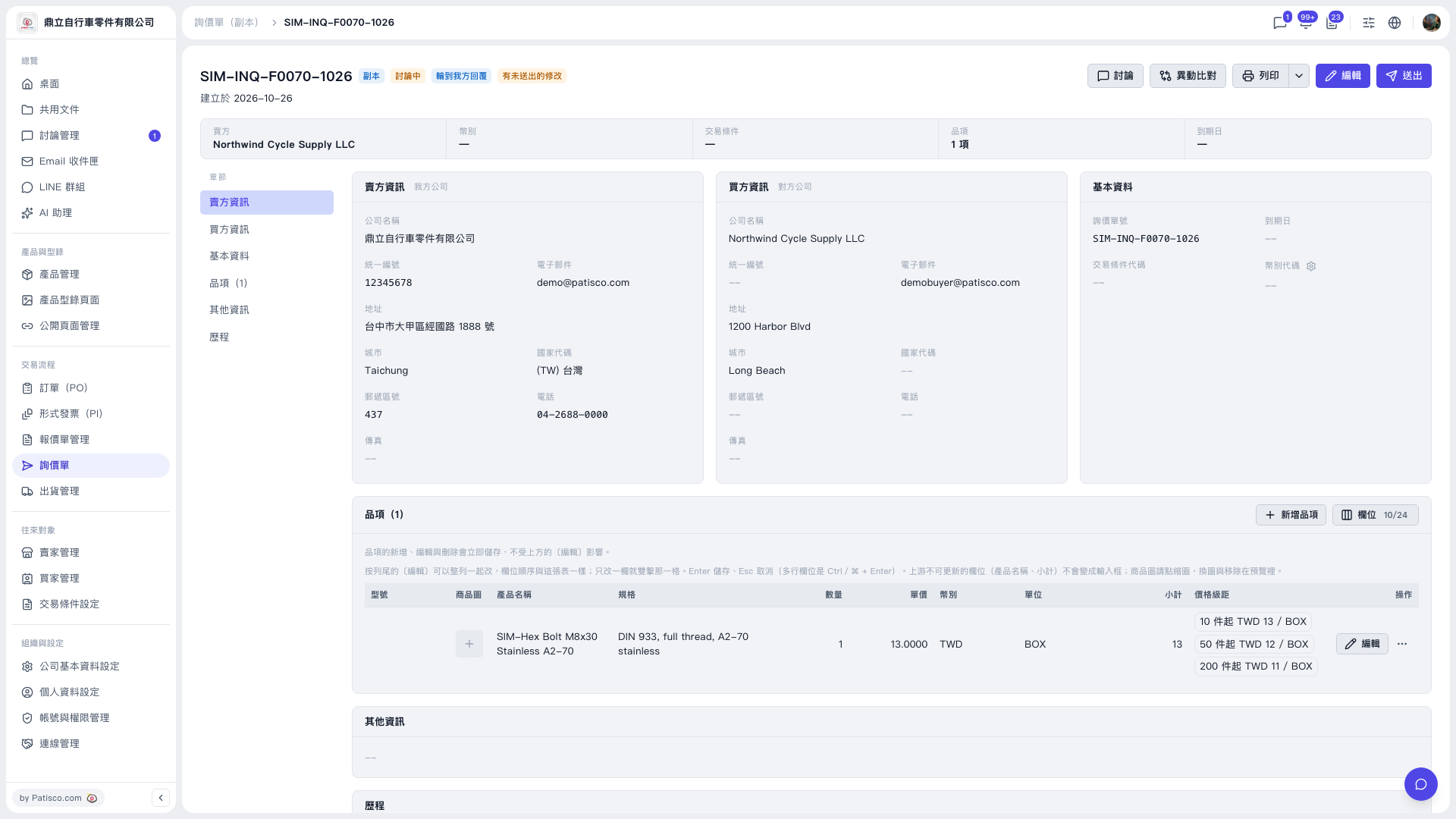 V5 新桌面版|SIM-INQ-F0070-1026(詢價單詳情,副本)