
1. In the left sidebar, click "Inquiry" under "Trading Flow". 2. Find the inquiry you want to check (for example, SIM-INQ-S0026-01) and click into it. 3. Look at the status label in the page header. It shows statuses such as "Copy", "In discussion", and "Confirmed by both parties", which tell you the current negotiation progress. 4. If you need details, use the section navigation on the left of the page (Seller info, Buyer info, Basic information, Items, Other information, History) to jump to the corresponding section, or simply scroll down.
Taking SIM-INQ-S0026-01 under the demo account (Dingli Bicycle Parts Co., Ltd.) as an example, the screen shows it as under negotiation, with nothing pending sync, and the other party has confirmed.
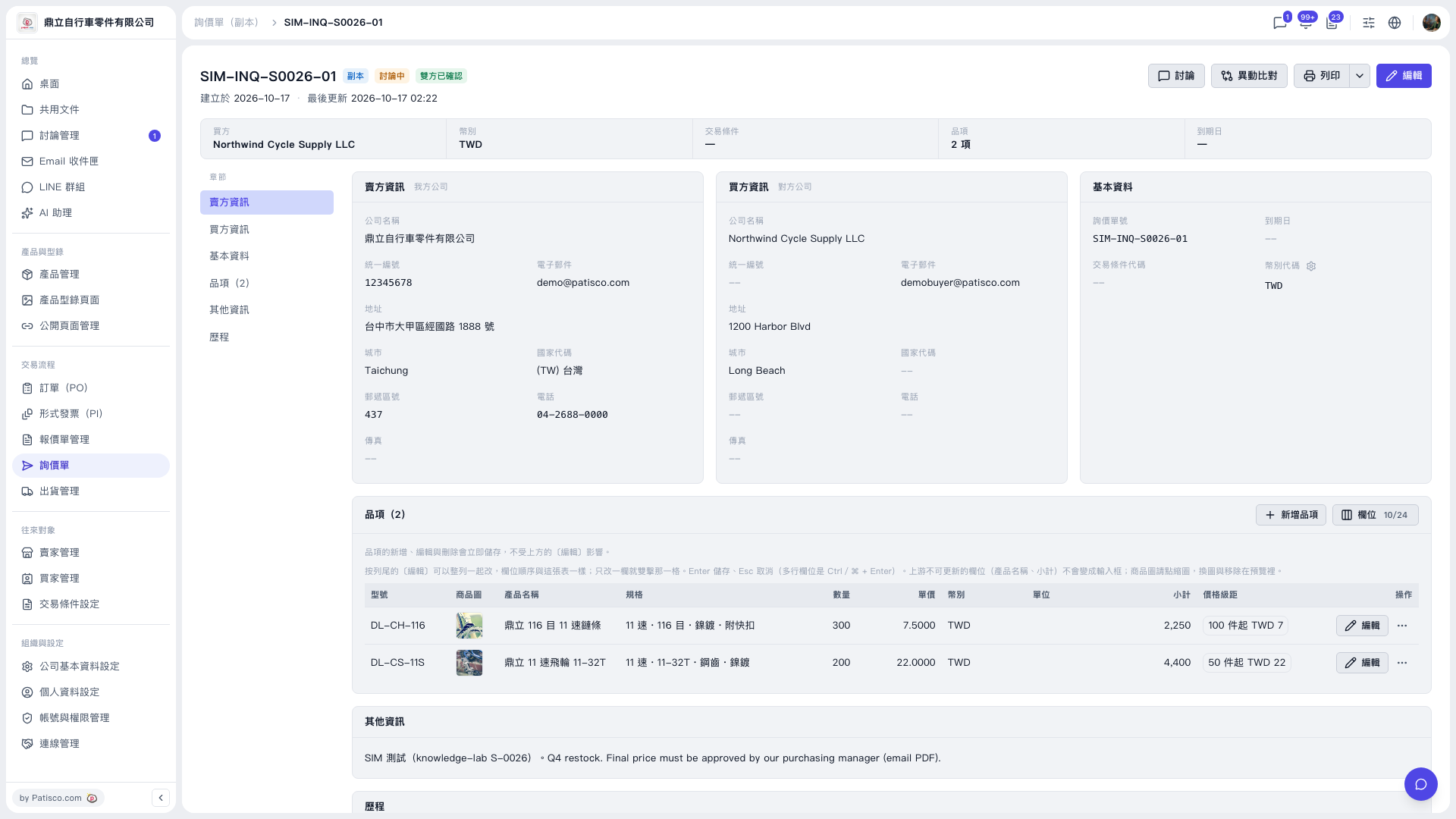 V5 新桌面版|SIM-INQ-S0026-01(詢價單副本詳情)