
1. Edit a single item: Click "Edit" at the end of the item row, change fields such as quantity and unit price, then press Enter to save or Esc to cancel. 2. Add an item: Click "Add item" at the top right of the items section. It takes effect as soon as you save. 3. Edit the whole inquiry: Click the purple "Edit" button at the top right. 4. Discuss prices or terms with the buyer: Click "Discuss" at the top right. 5. See the differences from the previous version: Click "Compare changes" at the top right. 6. To print, click "Print". The dropdown menu also has other print and export options.
Tip: The items table shows "Columns 10/24" by default. Click that button to adjust which columns are displayed if you want to see more.
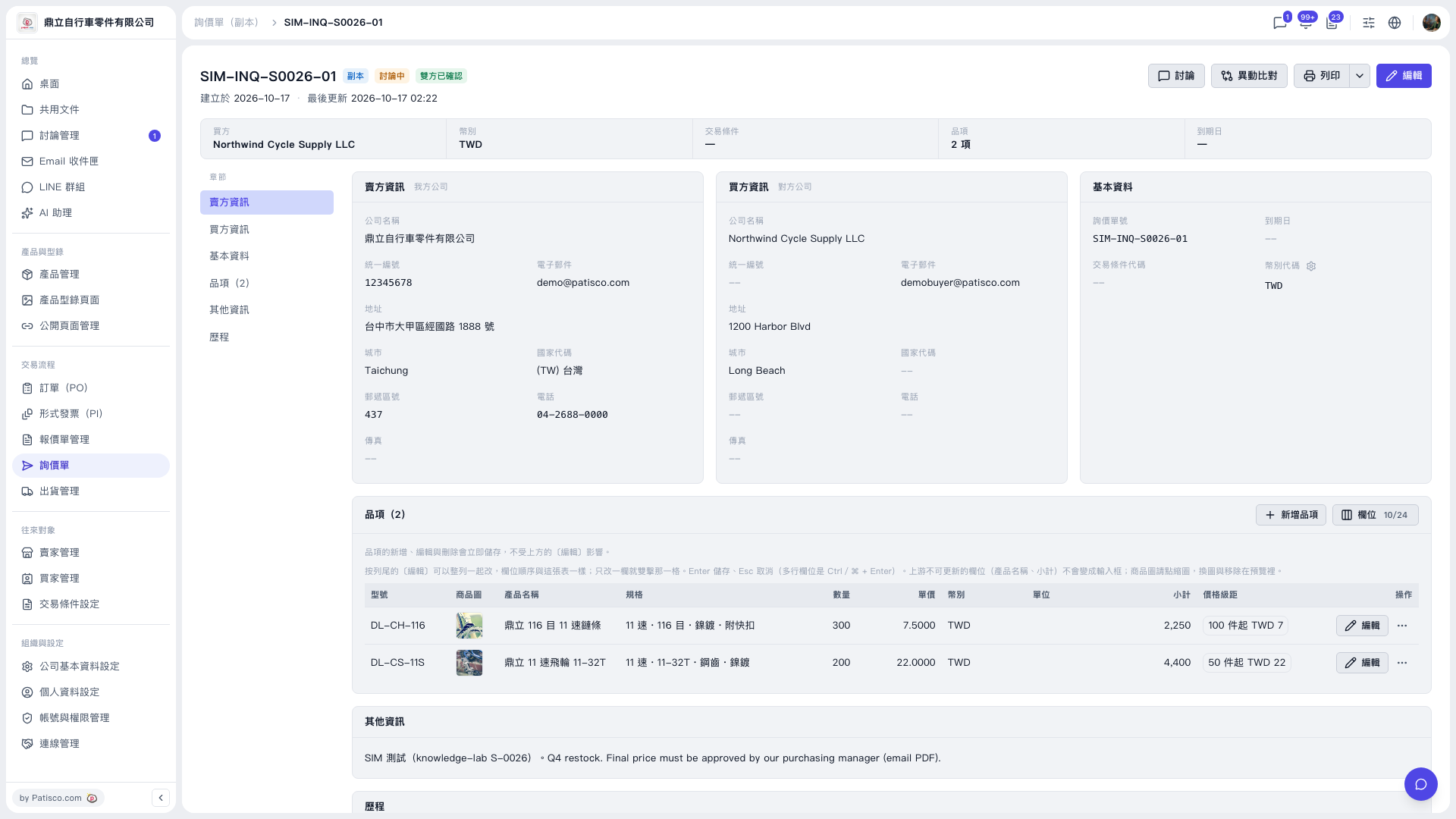 V5 新桌面版|SIM-INQ-S0026-01(詢價單副本詳情)