
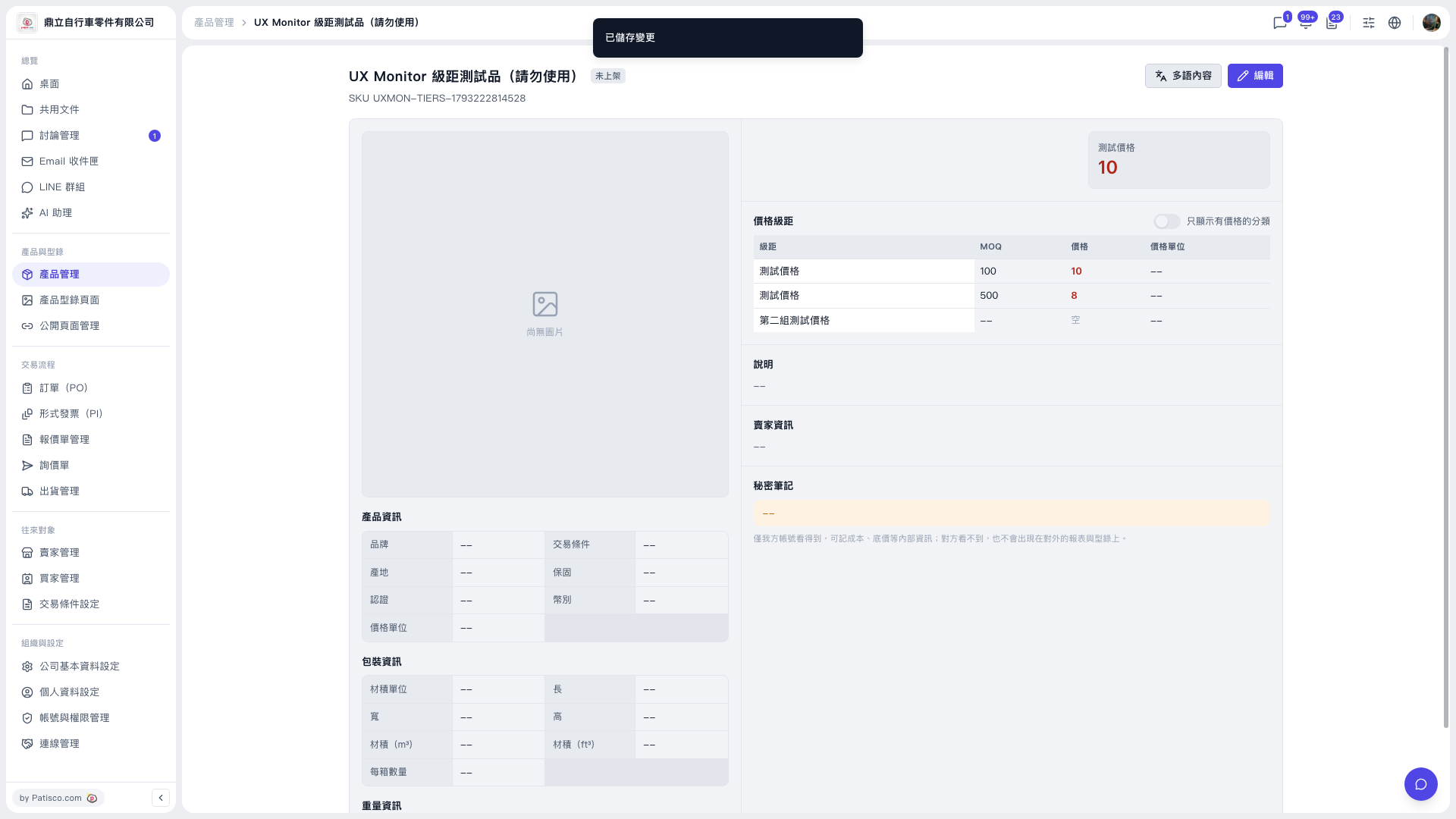
1. Click "Product Management" in the left sidebar and open the detail page of the product you want to set up. 2. Click the "Edit" button at the top right (to the right of the page title) to enter edit mode. 3. In the "Price tiers" section, enter the MOQ, price, and price unit for each tier. 4. Save your changes. When the "Changes saved" message appears at the top of the screen, the save was successful. 5. Go back to the detail page and check in the "Price tiers" table that the MOQ and price of each tier are displayed correctly.
For example, for the test product's category "Test price", the tier data after saving is: MOQ 100, price 10; MOQ 500, price 8.
 V5 新桌面版|UX Monitor 級距測試品(請勿使用)