
In the "Price formula" section of the "Add price category" dialog, these three options determine the role of the category in the price formula: 1. Set as base category: This category is the reference from which other categories are calculated. Usually the first category (for example "Test Price") is set as the base category, and the "Formula" column in the list shows "Base". 2. Calculate from base: The price is the base category plus or minus an adjustment. After selecting it, choose % or an amount under "Adjustment" and enter a value, then set "Rounding" and MOQ (follow base / fixed). 3. Not included: This category is not part of the price formula.
After setting this up, if you want existing product prices to be updated according to the formula, click "Recalculate product prices by formula..." at the top right of the price category settings section.
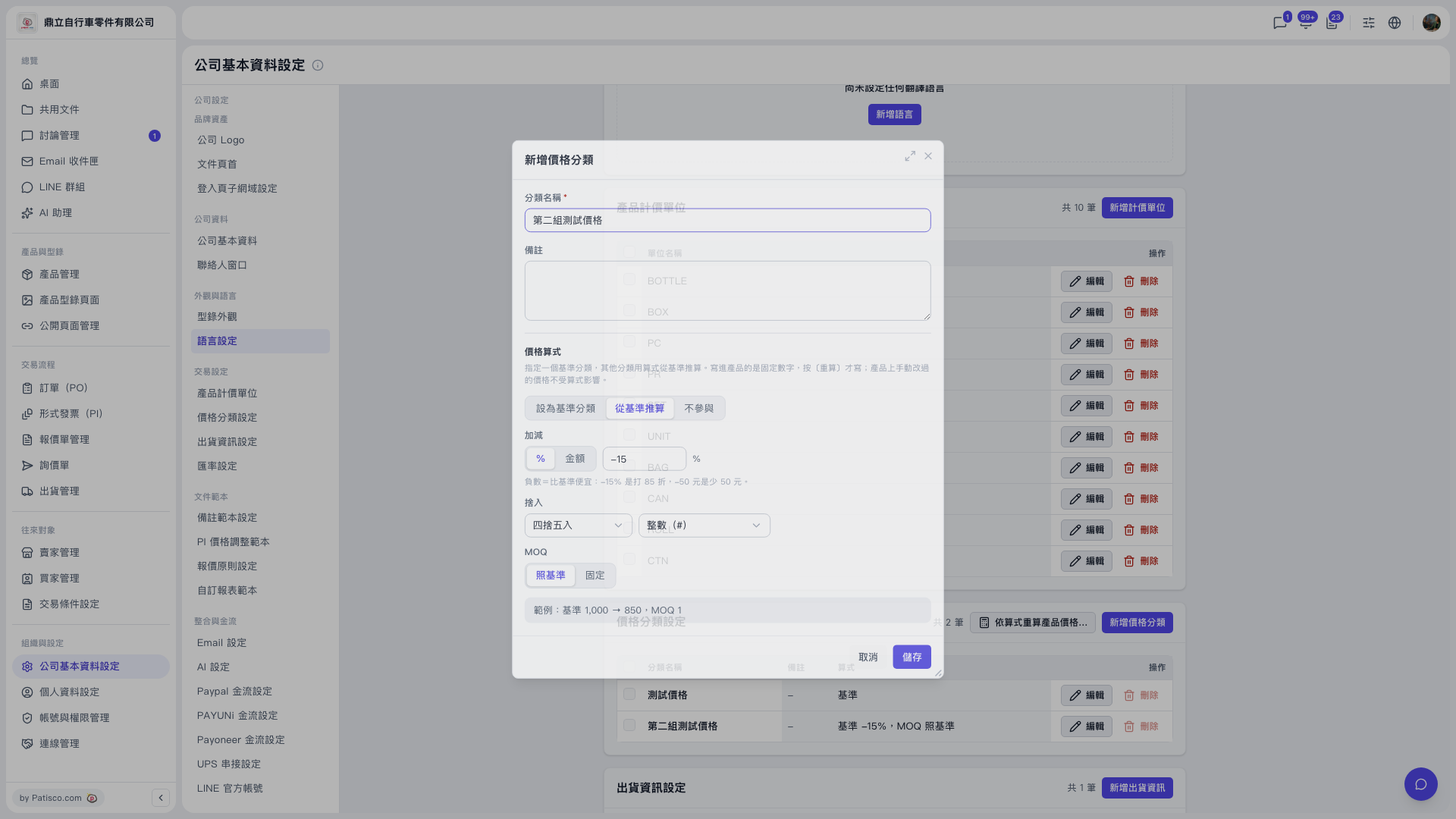 V5 新桌面版|公司基本資料設定(新增價格分類對話框)