
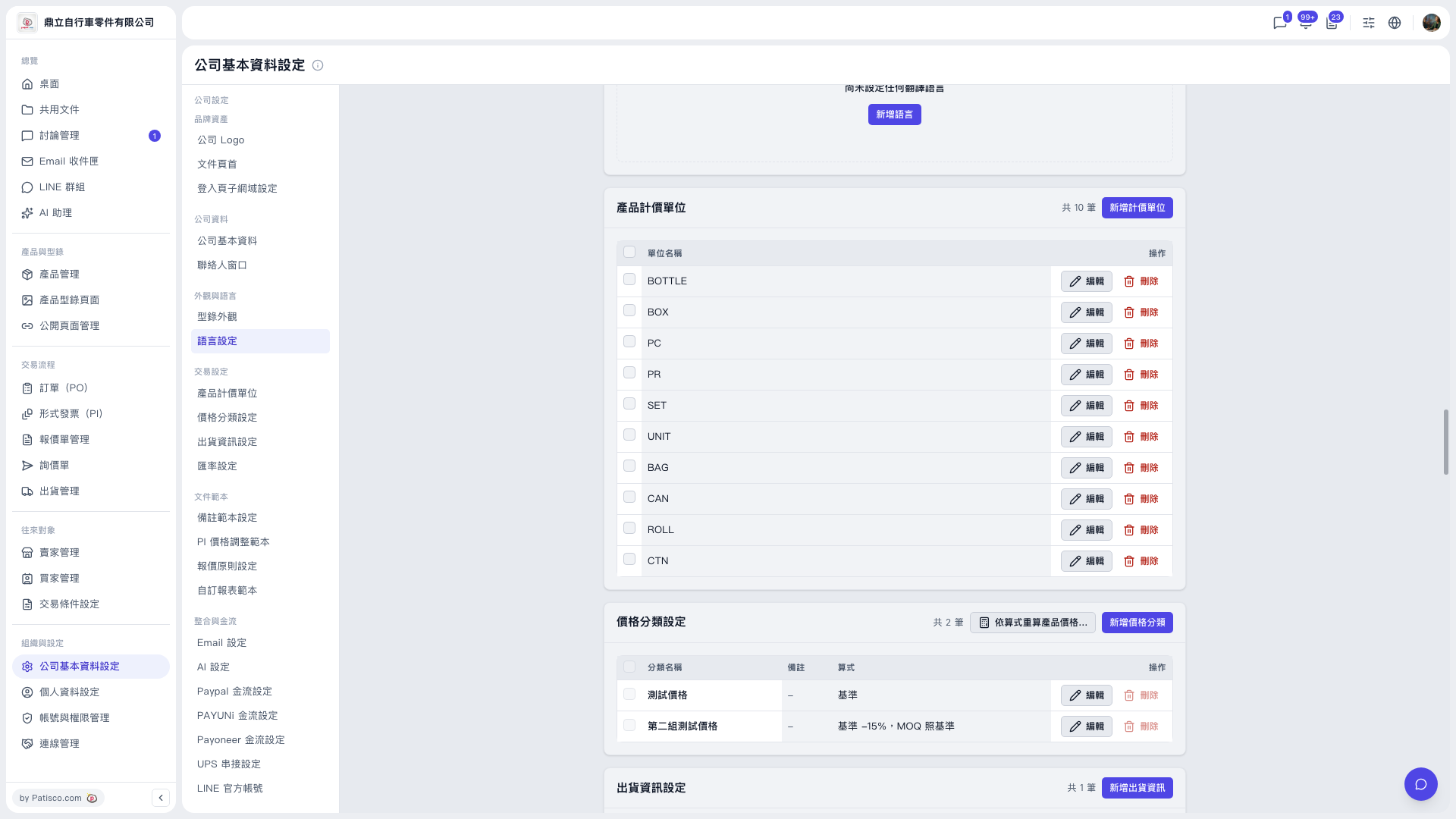
1. In the left sidebar, click "Company Profile Settings", then under "Trading Condition Setting", click "Price Category Settings". 2. Click "Add price category" at the top right of the "Price Category Settings" section. 3. Fill in "Category name", "Notes", and "Formula", then save. 4. If you want existing products to use this formula as well, click "Recalculate product prices by formula..." in the section title bar and confirm following the on-screen prompts.
Additional note: Each row in the list has "Edit" and "Delete" on the right side. "Delete" is currently grayed out and cannot be clicked, so use "Edit" to change the contents.
 V5 新桌面版|公司基本資料設定