
1. In the "Value mapping" step, if the products all belong to the same supplier, select it from the "Supplier for this batch" dropdown; if you cannot find it, click "Add supplier" on the right. 2. If the products belong to a particular buyer, select the buyer from the "Which buyer are these products for" dropdown; if you cannot find it, click "Add buyer" on the right. 3. Under "What to use when not specified", set the defaults for "Pricing unit", "Currency", "Dimension unit", and "Weight unit". Leave "Not set" if not needed. 4. In the "Price" section, confirm the value for "When there is a unit price but no MOQ". The default is 1, and you can change it. 5. After setting these, click "Next" at the bottom right to go to "Review and fix", and finish creating the products in the "Import" step.
If you do not want to import, click "Cancel" to close the dialog without importing any data.
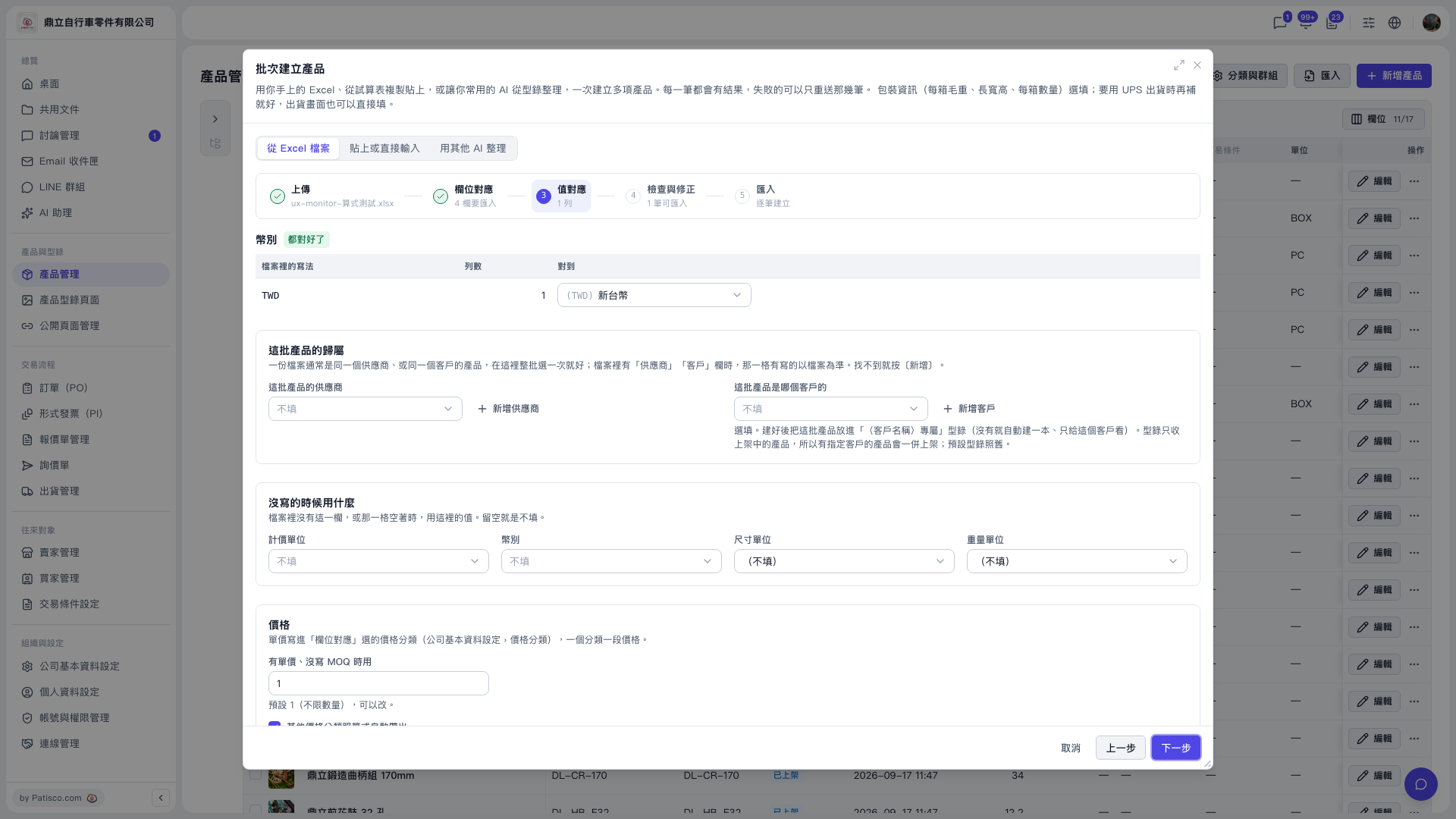 V5 新桌面版|批次建立產品(產品管理頁面上的對話框)