
1. Under "Ownership of this batch", select "Supplier for this batch" or "Customer this batch belongs to". Both are optional. 2. If the file already contains a "Supplier" or "Customer" column, the file's content takes priority. 3. If you can't find the right party in the dropdown, click "Add supplier" or "Add customer" on the right side of the dropdown to add one directly. 4. Under "Defaults when blank", set the default pricing unit, currency, dimension unit, and weight unit. These values are applied to cells left empty in the file. If you leave a default empty, those cells stay empty. 5. In the "Price" section, check the quantity under "Use when a unit price is given but MOQ is blank". The default is 1 and you can change it. Scroll down to see the settings for other price categories. 6. When everything is confirmed, click "Next" at the bottom right. To cancel the entire import, click "Cancel".
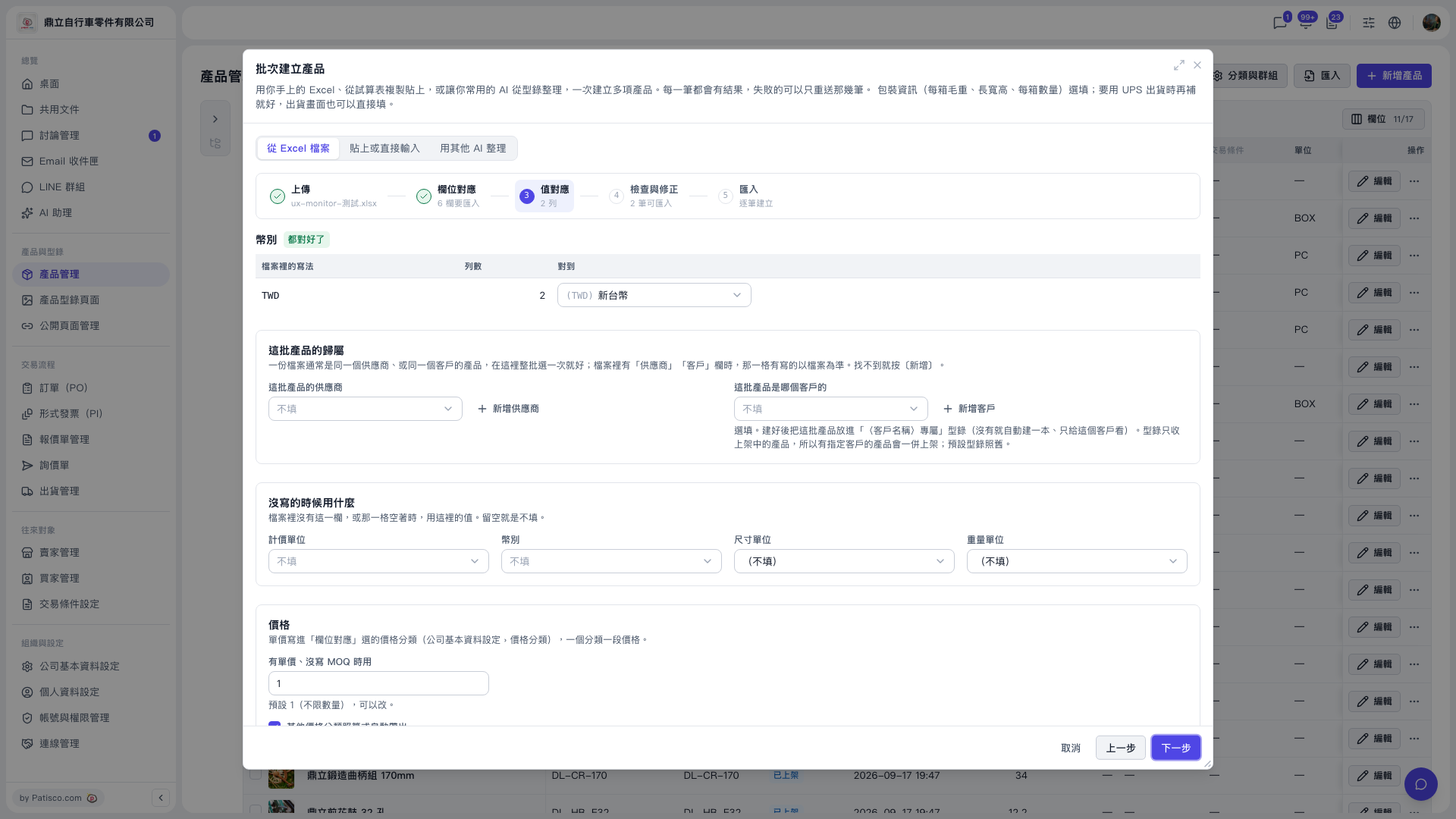 V5 新桌面版|批次建立產品(產品管理頁面上的彈出視窗)