
1. On the "Product Management" page, click "Import" at the top right, select "From Excel file", and upload the file. 2. In step 2, "Column mapping", the system has already mapped columns automatically by header name. The table lists "Your column", "Sample value", "Maps to system field", and "Status". 3. Check the "Maps to system field" dropdown row by row, paying special attention to columns marked "Guessed" or "Not mapped". 4. For columns you do not need, select "Do not import" in the dropdown. 5. After confirming, click "Next" at the bottom right of the dialog to go to step 3, "Value mapping", where you map units and currencies. To change the uploaded file, click "Back"; if you do not want to import, click "Cancel". 6. Then complete "Review and fix" and "Import" in order.
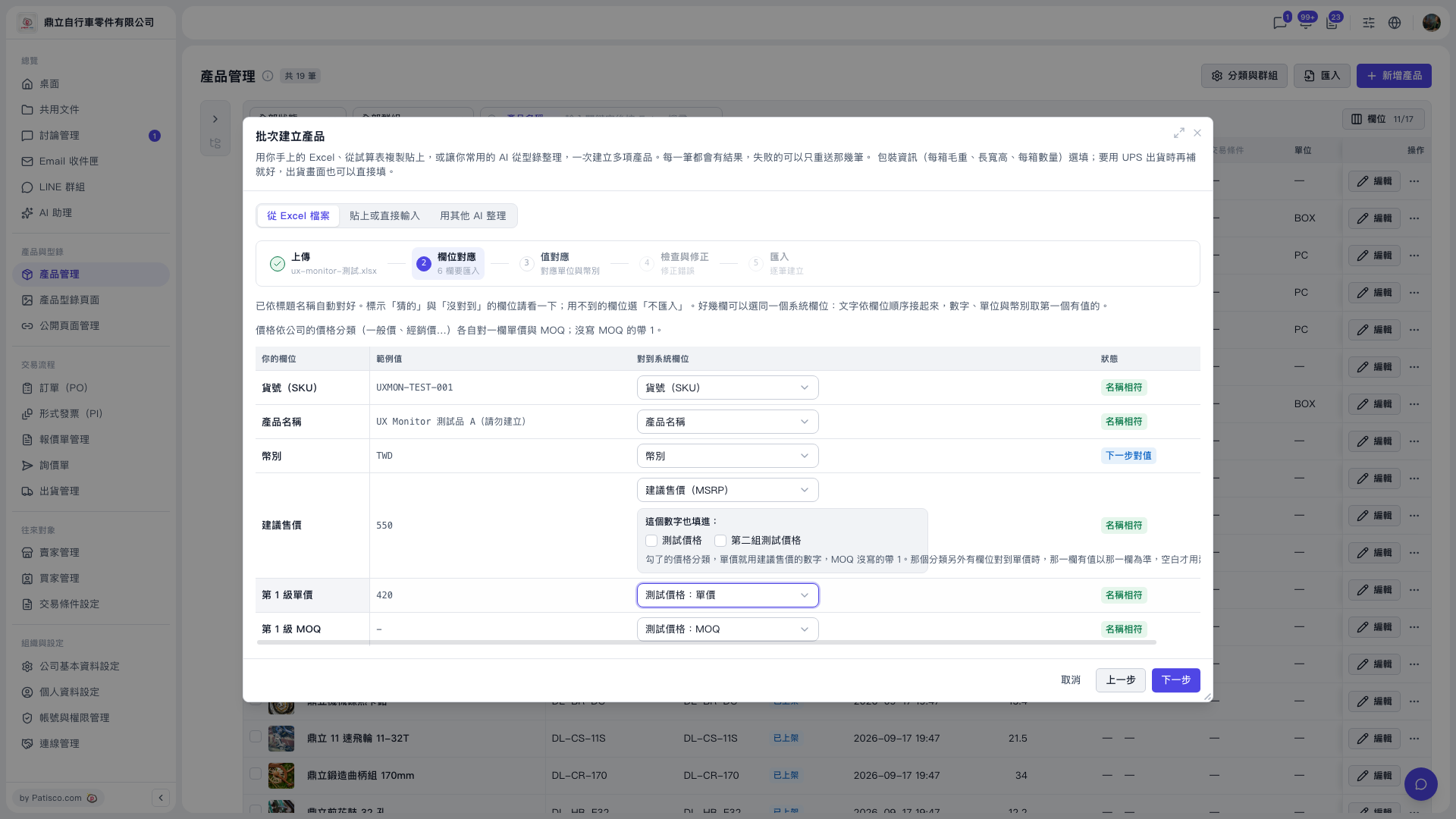 V5 新桌面版|產品管理(批次建立產品 – 步驟 2:欄位對應)