
1. In the column mapping table, map the price columns in your Excel file to the "Unit price" and "MOQ" of each price category, for example "Test Price: Unit price" and "Test Price: MOQ" (same for the second one; select the items for "Second Test Price"). 2. If you want a price category to use the suggested retail price directly, find the "Suggested retail price (MSRP)" row, and in the "Also fill this number into:" section below it, check "Test Price" or "Second Test Price". 3. After checking, that category's unit price uses the suggested retail price figure, and MOQ is set to 1 where it is not specified. 4. After confirming, click "Next" at the bottom right.
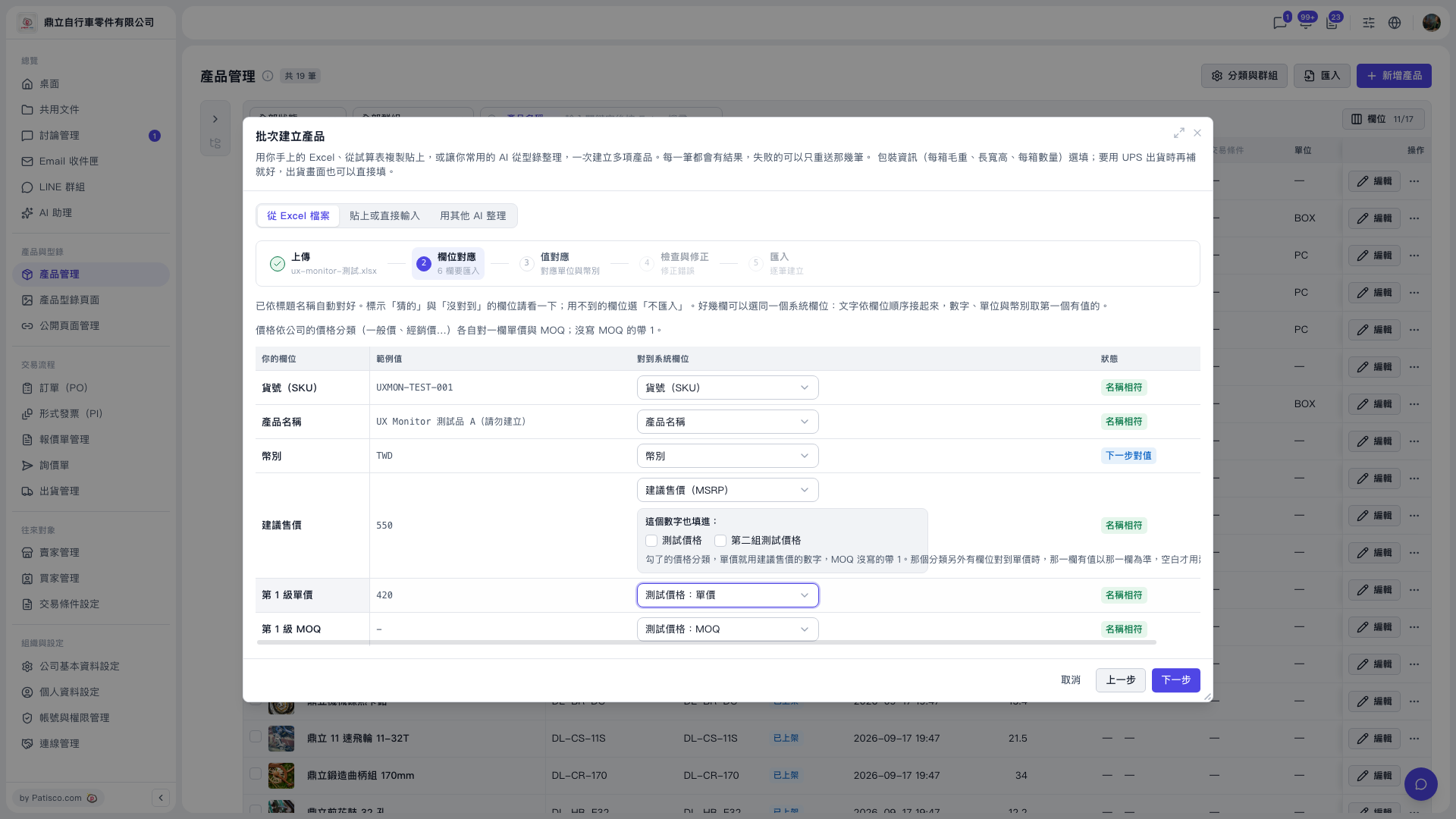 V5 新桌面版|產品管理(批次建立產品 – 步驟 2:欄位對應)