
1. Confirm that the step bar at the top of the dialog is at "4 Review and fix"; the number of importable rows is shown at the top (for example "2 rows can be imported"). 2. Type an SKU, name, or the contents of any cell into the search box at the upper left of the table to find a specific row. 3. You can also click the quick filters to the right of the search box: "Has errors", "Has warnings", "SKU already exists", "Unit price is 0 or blank", and "Not imported", to quickly filter the rows that need attention. 4. Look at the "Status" column and confirm that every row shows "Can be imported".
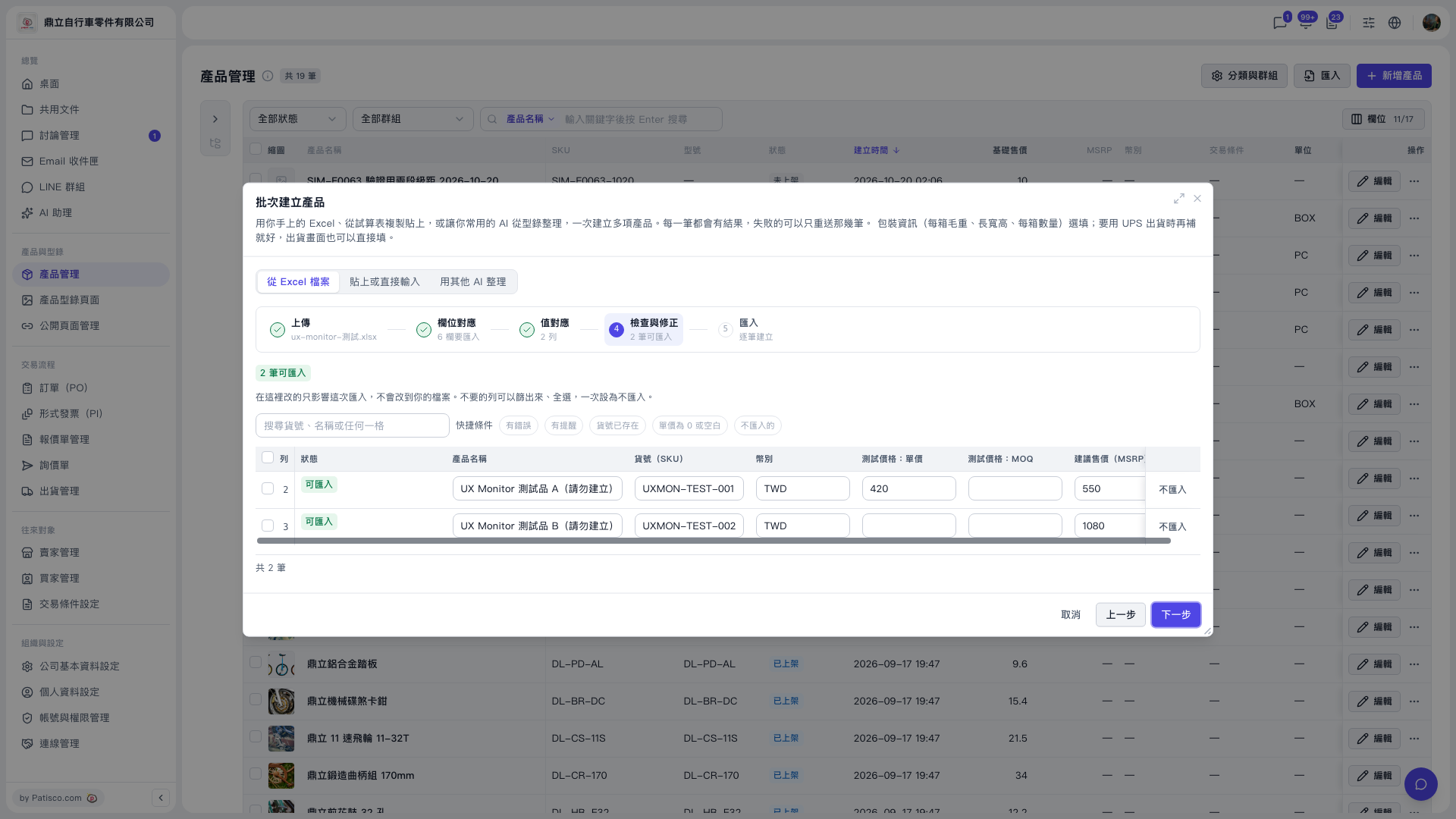 V5 新桌面版|產品管理(批次建立產品 — 步驟 4:檢查與修正)