
1. On the Product Management page, open the "Bulk Create Products" dialog and go to Step 3. 2. Look at the "Currency" section first. The table lists the values as written in your file, the number of rows, and a "Maps to" column. 3. If the section shows "All matched", no further changes are needed. 4. If there are values that are not yet mapped, use the dropdown in the "Maps to" column of that row and select the correct system currency (for example, map TWD to "New Taiwan Dollar"). 5. When you are done, click "Next" at the bottom right to go to Step 4 "Review & Fix". To go back and change the column mapping, click "Back".
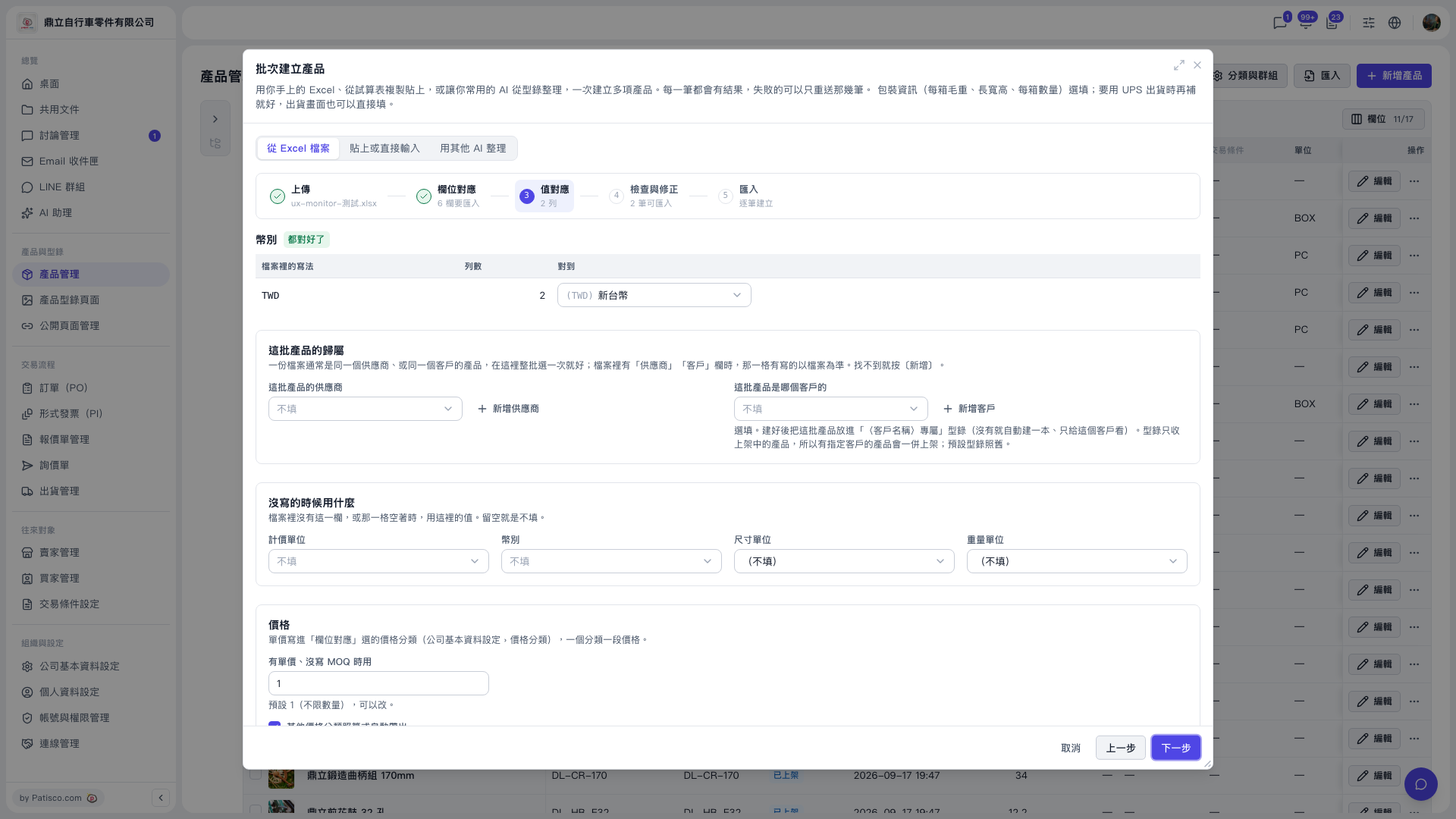 V5 新桌面版|批次建立產品(產品管理頁面上的彈出視窗)