
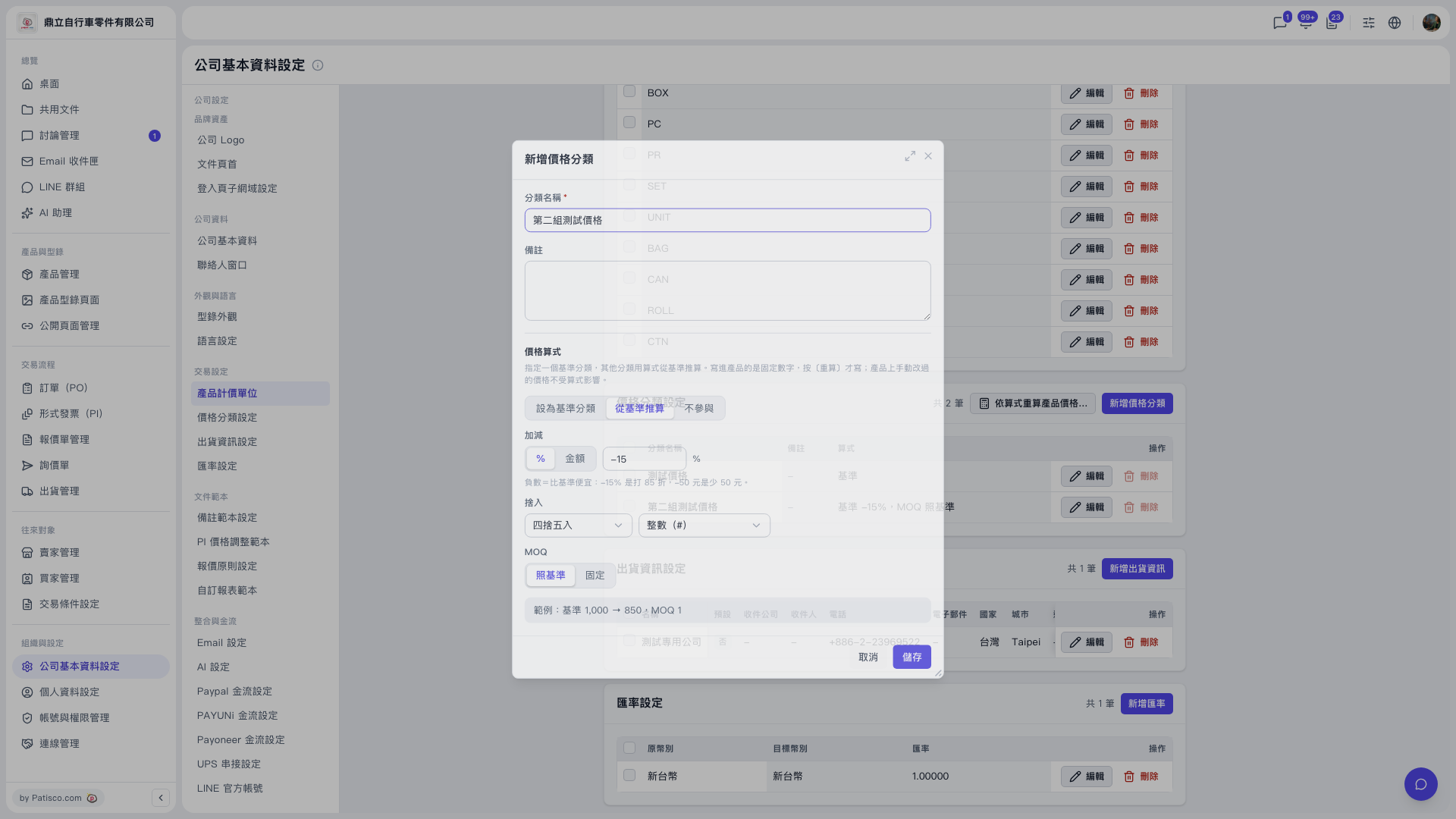
1. In the left sidebar, click “Company Profile Settings”, then click “Price Category Settings”. 2. In the top right of the Price Category Settings section, click “Recalculate product prices by formula…” to the left of “Add Price Category”. 3. Confirm following the on-screen instructions, then run the recalculation. In the demo, the recalculation goes from the base “Test Price” to “Second Test Price”.
Reminder: Prices that were manually changed on a product are not affected by the formula and will not be overwritten during recalculation. To check the current formula of each category, look at the [Formula] column in the list, for example “Second Test Price = base −15%, MOQ same as base”. To change it, click “Edit” on the right of that row.
 V5 新桌面版|公司基本資料設定