
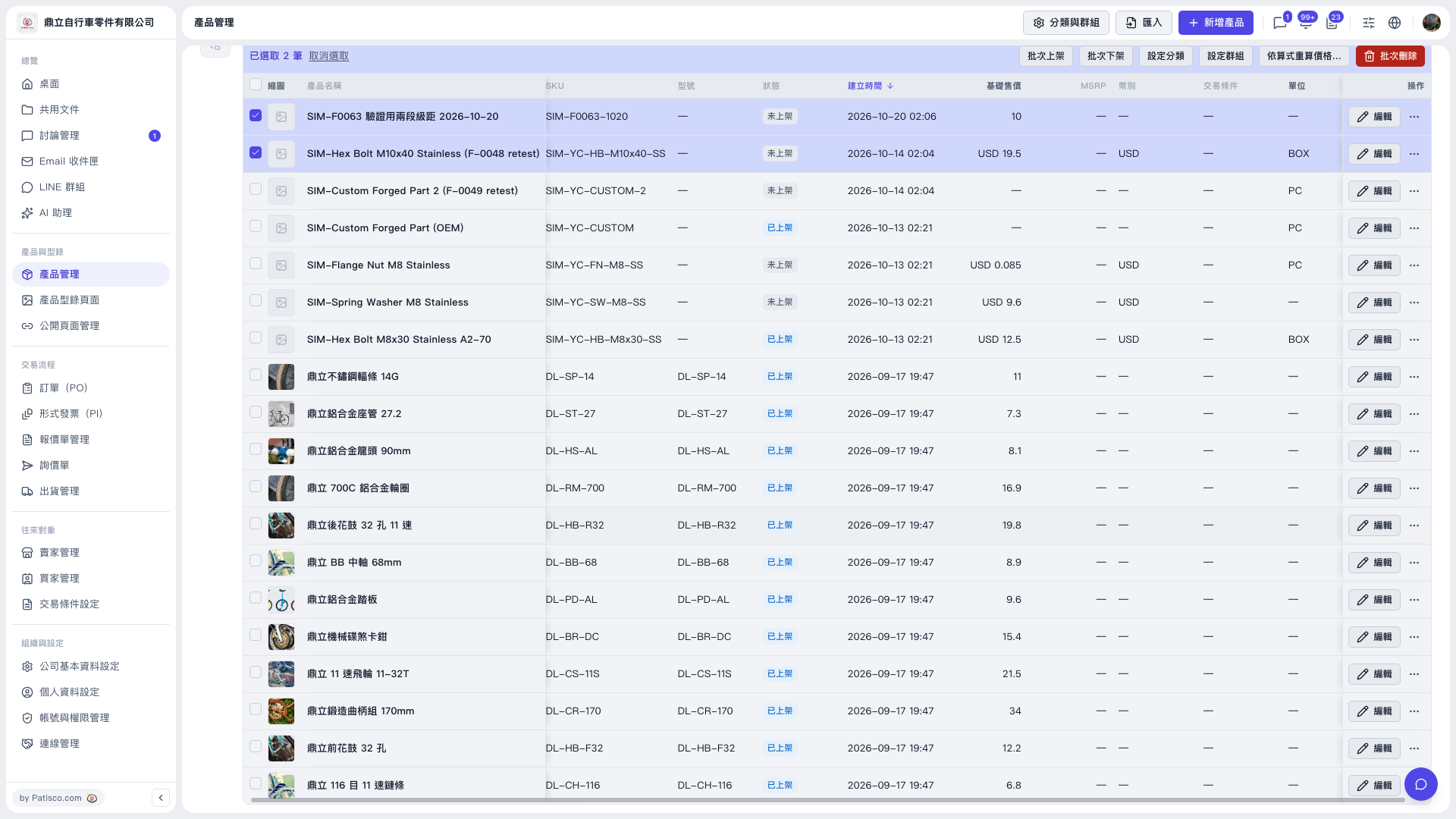
1. In the left sidebar, click “Product Management” under “Products & Catalog” to open the product list. 2. Tick the checkboxes on the left of the products you want to process (multiple selection is allowed). A batch action bar showing “N selected” appears above the list. 3. Click the button you need: “Batch Publish” (change to published), “Batch Unpublish” (change to unpublished), “Set Category”, or “Set Group”. 4. If a confirmation or settings window appears, check the contents and submit. 5. To discard the selection, click “Clear selection” on the left of the batch action bar. Note: The red “Batch Delete” button on the far right deletes all selected products, so check your selection before clicking it.
 V5 新桌面版|產品管理