
Yes. Set it up in Step 2, “Column Mapping”: 1. Find the “Suggested Retail Price” row. 2. Look at the “Also fill this number into” checkboxes below that row, which list your price categories. For example, the demo account (鼎立自行車零件有限公司) has “Test Price” and “Second Test Price”. 3. Tick the price categories you want to sync, and the suggested retail price figure will also be filled into the unit price of those categories. 4. After checking the other columns, click “Next” at the bottom right to go to Step 3, “Value Mapping”.
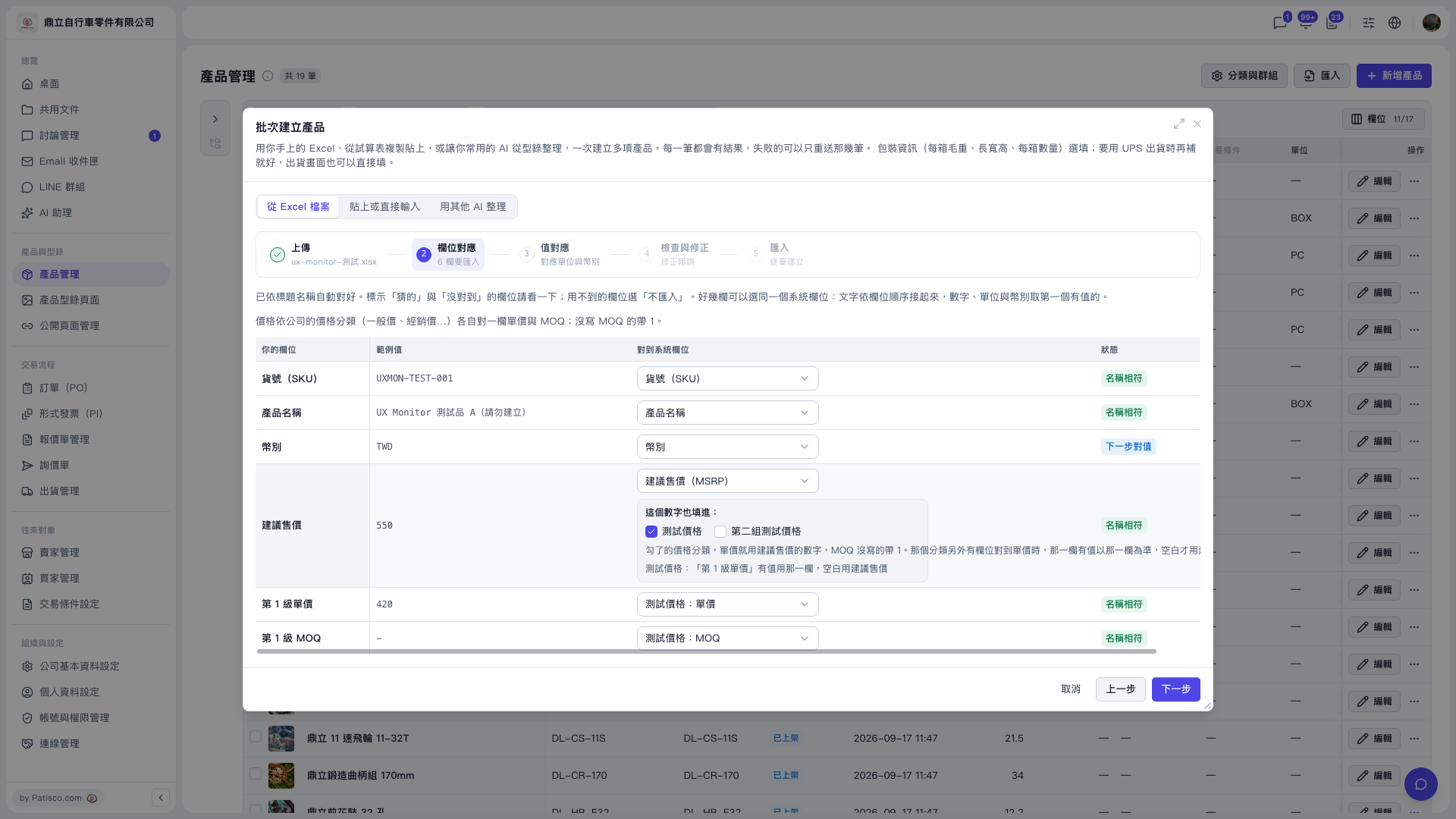 V5 新桌面版|產品管理(批次建立產品對話框:步驟 2 欄位對應)