
1. In the table in Step 4, "Review and fix", find the "Test price: MOQ" column. 2. For rows where the MOQ cell shows "Blank", you can click the cell and enter a number directly. 3. If you don't fill it in, the default value of 1 is used when the product is created. For example, in the demo data, the MOQ in rows 2 and 3 is blank, so the default of 1 is used on creation. 4. To find all rows with price problems at once, click the quick filter "Unit price is 0 or blank" to the right of the search box. 5. After filling in the values, click "Next" at the bottom right to go to Step 5, "Import".
If your MOQ is not 1, we recommend filling it in at this step so you don't have to edit each product one by one after they are created.
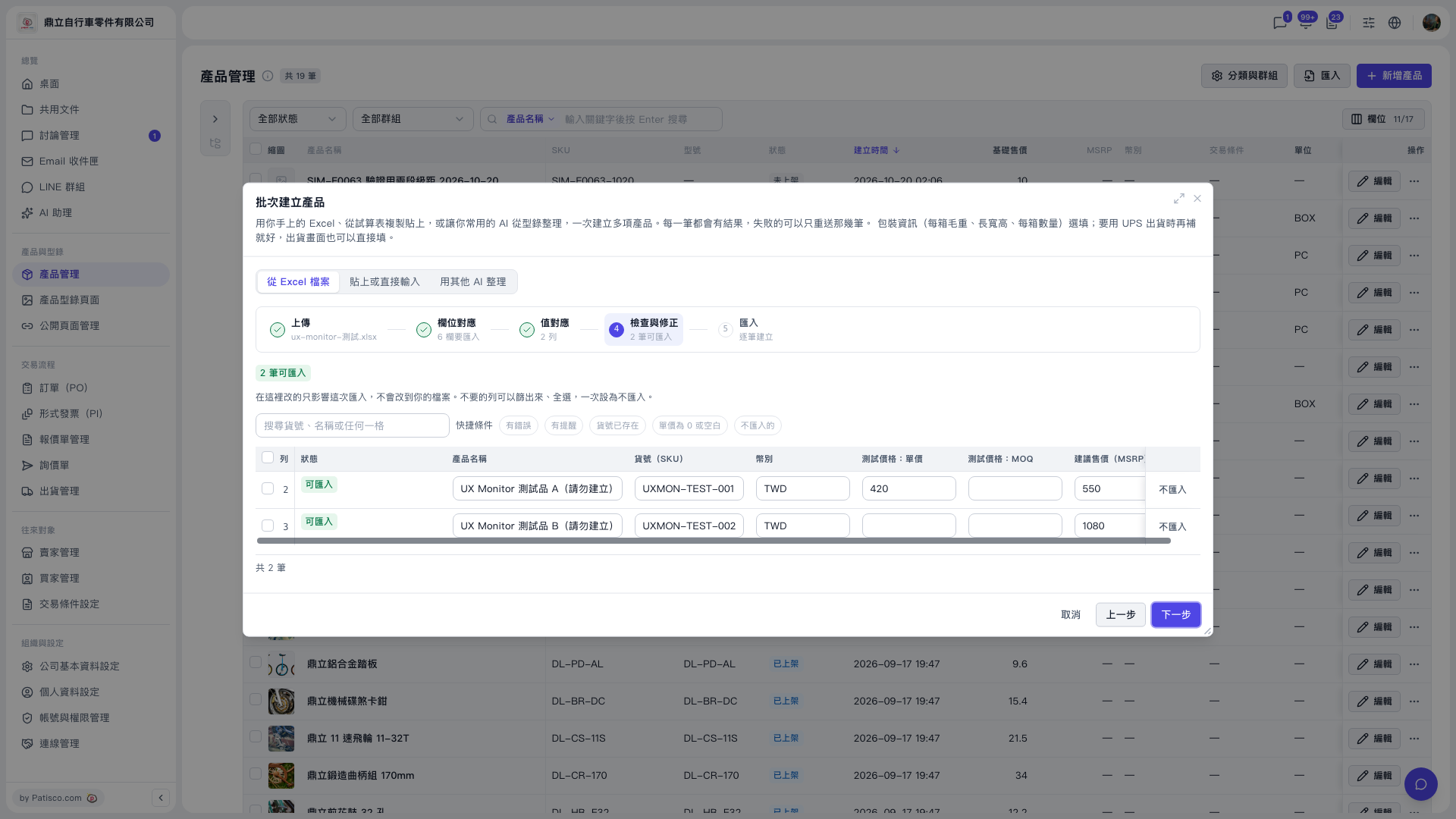 V5 新桌面版|產品管理(批次建立產品對話框:步驟 4 檢查與修正)