
1. To go back and change the column mapping: click "Back" at the bottom right of the dialog to return to Step 2, "Column mapping". 2. To abandon this import: click "Cancel" at the bottom right. The bulk creation window closes and the content of this import is not kept. 3. If everything looks fine and you want to continue: click "Next" to go to Step 4, "Review and fix".
In addition, the tabs at the top of the dialog, "From Excel file", "Paste or type directly", and "Organize with another AI", let you switch the data source method.
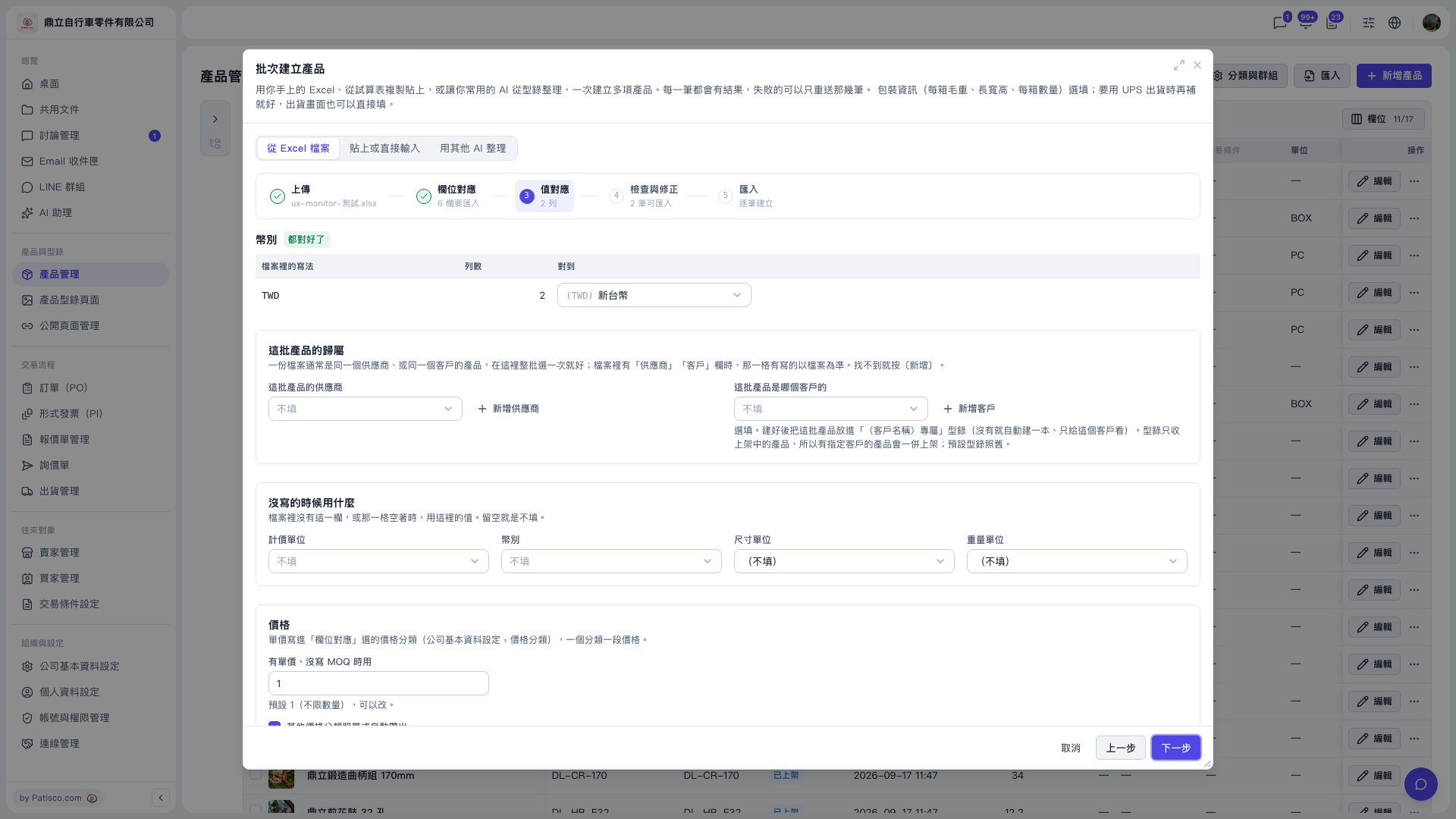 V5 新桌面版|批次建立產品(產品管理頁上的彈出視窗,步驟 3:值對應)