
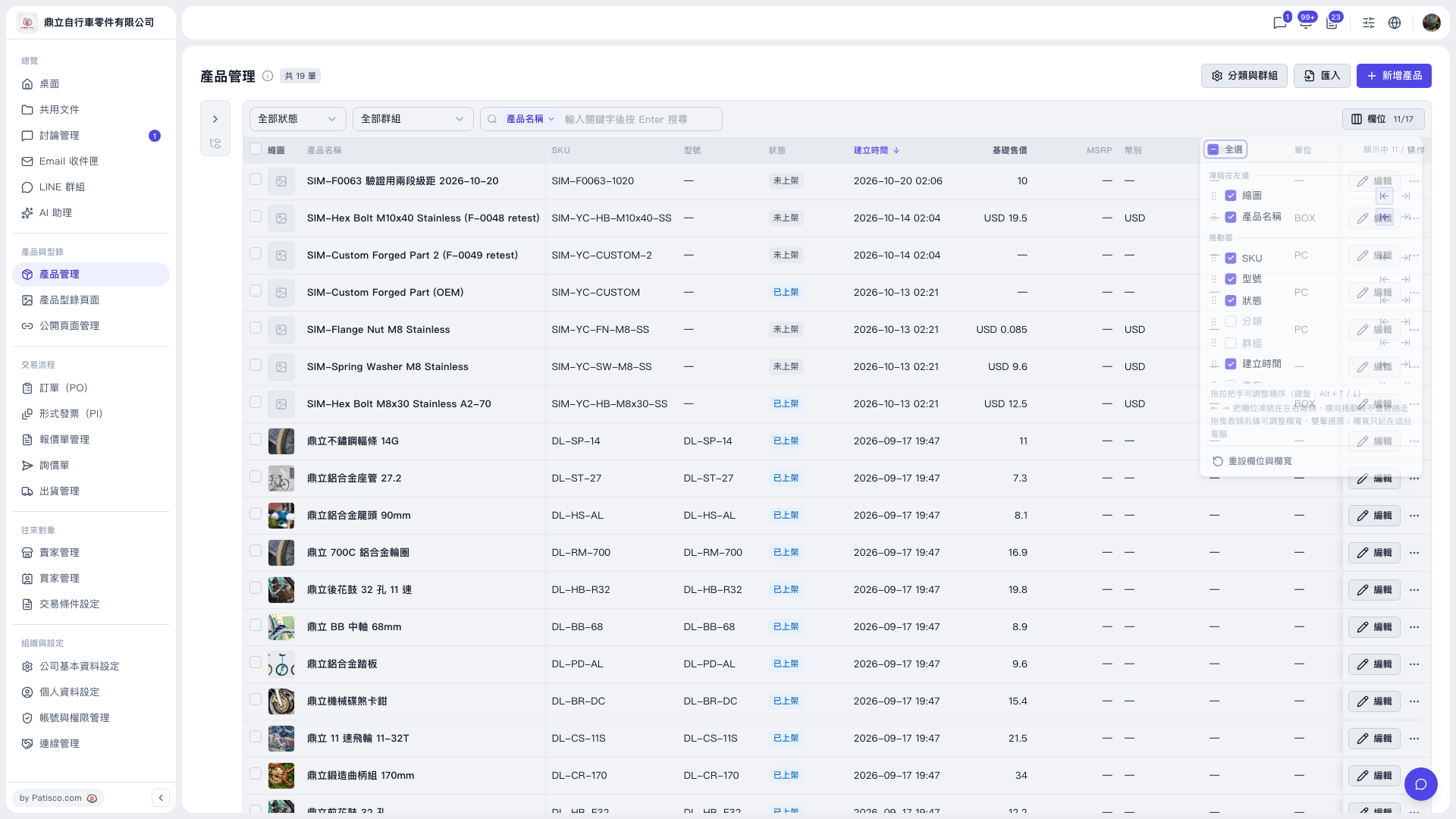
1. Go to the V5 Product Management page. 2. Click the "Columns 11/17" button on the right side of the table toolbar to open the column settings panel (11 are currently shown out of 17 available). 3. Under "Frozen on the left" or "Scroll area", check the columns you want to show and uncheck the ones you want to hide. You can also click "Select all" at the top of the panel to check or uncheck everything at once. 4. Your settings are applied to the table right away.
The available columns are: thumbnail, product name, SKU, model number, status, category, group, created time, stock, base price, MSRP, currency, trading condition, unit, created by, last modified time, and listed/unlisted time. The columns checked by default are thumbnail, product name, SKU, model number, status, created time, base price, MSRP, currency, trading condition, and unit.
 V5 新桌面版|產品管理