
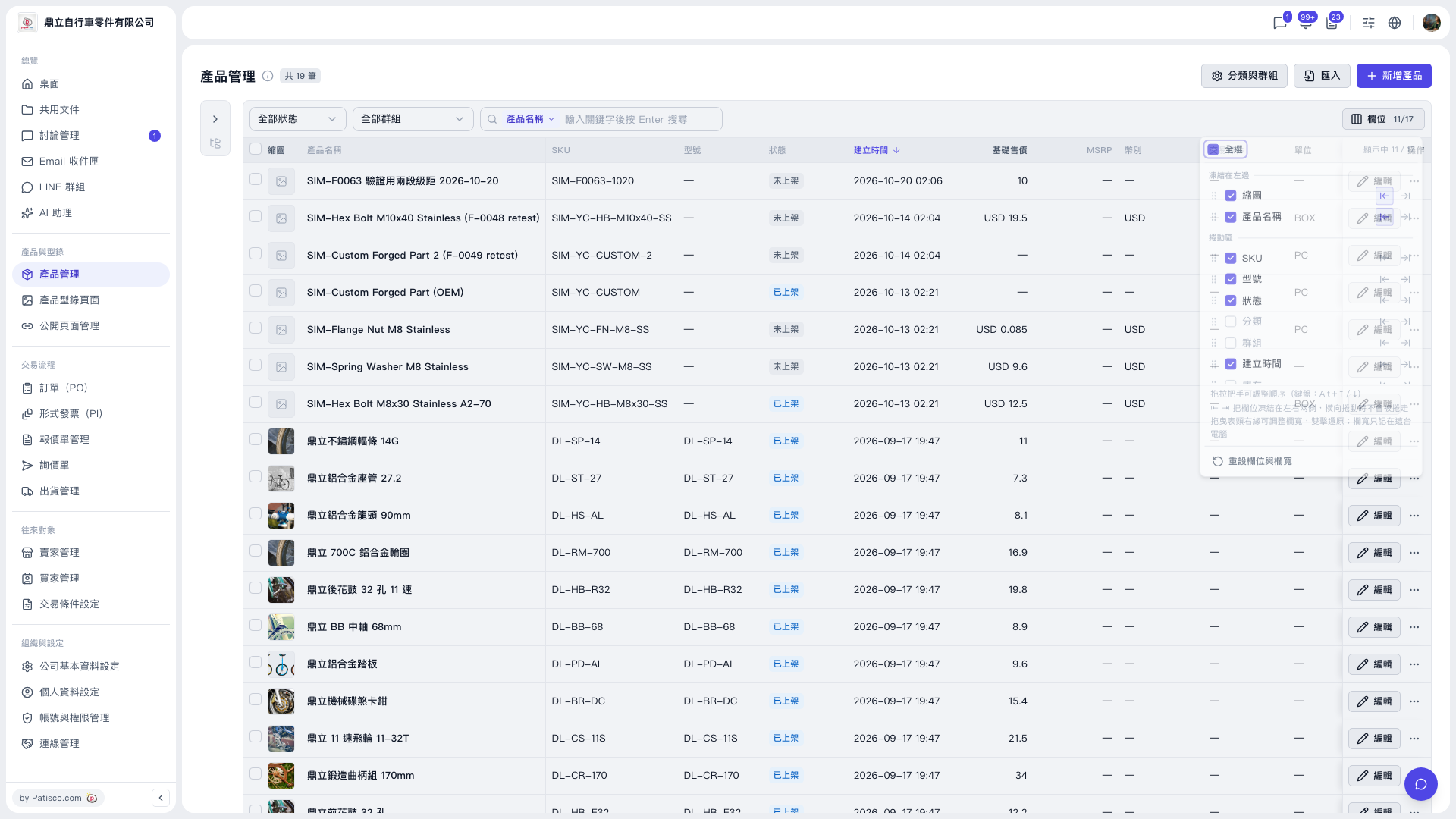
1. On the Product Management page, click the "Columns 11/17" button at the top right of the table to open the column settings panel. 2. Click "Reset columns and widths" at the bottom of the panel. Both column visibility and column widths return to their default values. 3. Click an empty area outside the panel to close it, and confirm that the table has been restored.
Note: After resetting, the columns you had additionally checked (such as base price, MSRP, currency, trading condition, and unit) return to their default display state. Check them again if you need them.
 V5 新桌面版|產品管理