
1. On mobile, go to the "Discussions" page (URL: /main/topic). You can also tap the hamburger menu icon at the upper left to expand the side navigation and go from there. 2. In the tabs at the top of the page, stay on "Discussion" for regular discussions, or switch to "AI Discussion" for AI discussions. 3. To find a specific topic, enter a keyword in the "Search topic" box below the tabs. 4. Each row shows the topic name, a preview of the latest message, and the time of the last message. Topics with unread messages have an unread count badge. 5. Tap the topic row to open the discussion, view the messages, and reply.
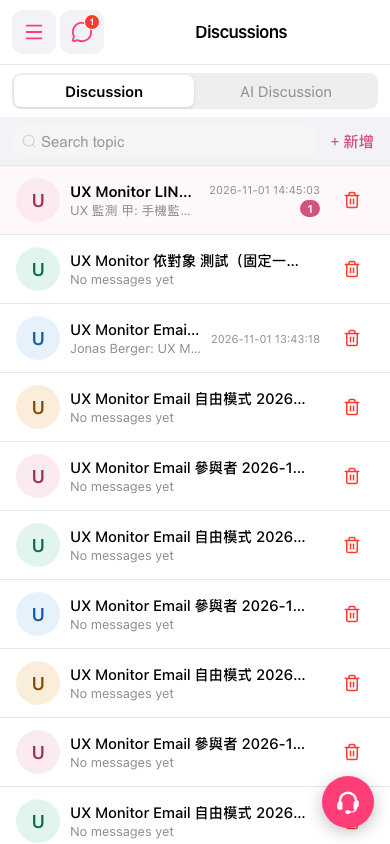 手機版|Discussions(討論)