
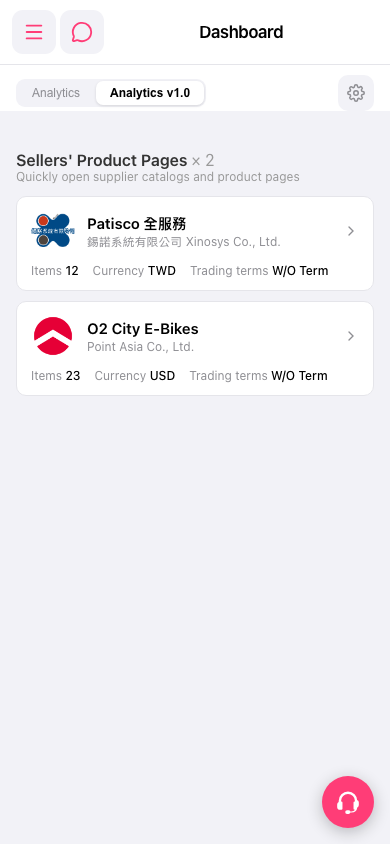
1. Go to the mobile Dashboard (https://mobile.patisco.com/main/dashBoard). 2. Make sure the tab at the top is on "Analytics v1.0". 3. In the "Sellers' Product Pages" list, find the supplier card you want to view. The list currently has "Patisco 全服務" and "O2 City E-Bikes". 4. The card shows Items (number of items), Currency, and Trading terms, along with the seller name and company name.
Note: The AI assistant's reply is "seller catalogs on dashboard: 2", meaning the Dashboard currently has 2 seller catalogs, which matches the 2 cards on the screen.
 手機版|Dashboard