
1. On mobile, go to the "Purchasing Order" page (https://mobile.patisco.com/main/po). 2. Use the tabs below the title: select "Sent Doc." to see the POs you sent, or "Received Doc." to see the POs you received. 3. If the list is long, tap the search icon at the upper right to find a PO, or tap the filter/adjust icon next to it to set filter and sort conditions. 4. Tap the PO to open its details and view the items, amounts, and conditions.
Each entry in the list shows the PO number, supplier name, trading terms and currency amount, ETD, Items (number of items), Payment Via (payment method), and Created Date.
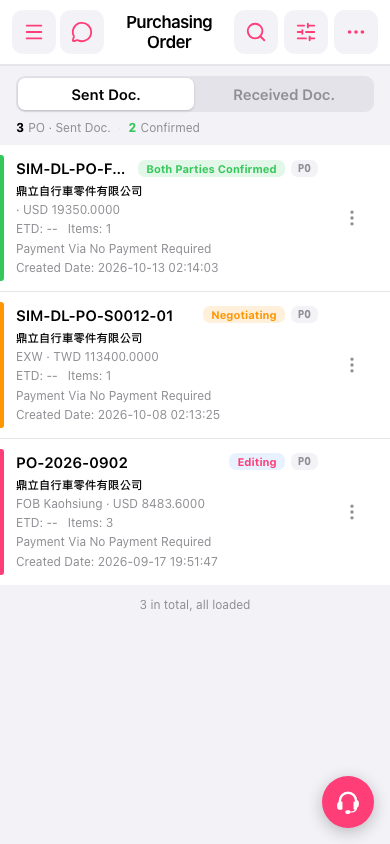 手機版|Purchasing Order(採購單)