
Add: 1. Go to the "Discussions" page and make sure you are on the "Discussion" tab (for AI discussions, use the "AI Discussion" tab). 2. Tap "+ Add" on the right of the search bar to create a new discussion topic.
Delete: 1. Find the topic you want to remove in the list. 2. Tap the red trash can icon on the right of that row. 3. Confirm the deletion following the on-screen prompt.
Reminder: Before deleting, make sure it is the topic you want to delete, to avoid deleting the wrong one.
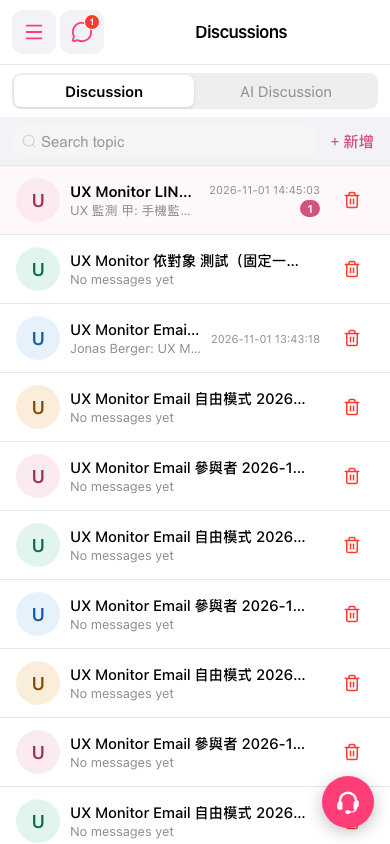 手機版|Discussions(討論)