
1. Open the Patisco mobile version in your mobile browser and go to the "Shared Files" page. 2. Check the file, folder, and category statistics at the top to see the current state of your folders. 3. Tap the dashed button "Add Main Folder" at the top center. 4. Enter a folder name and confirm. The new main folder will appear in the list.
Note: The "Add Main Folder" button was detected on the screen and can be tapped normally.
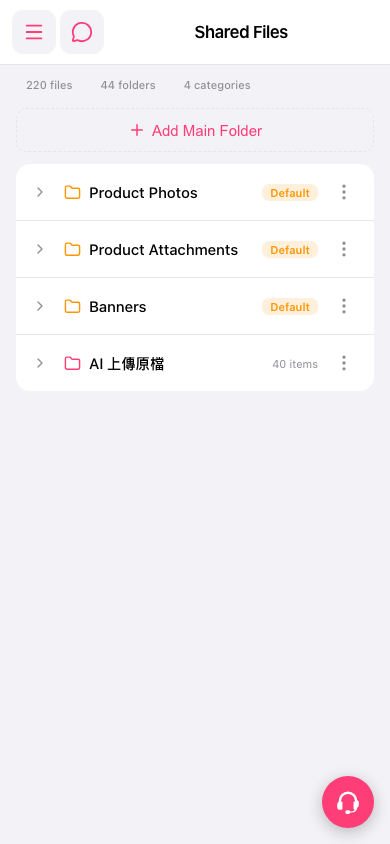 手機版|Shared Files