
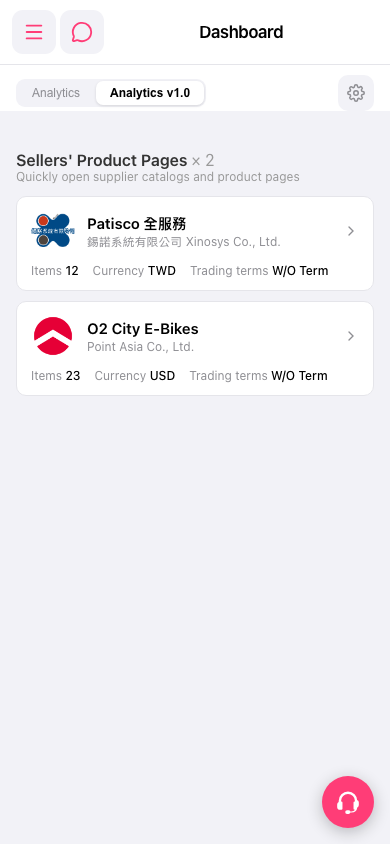
1. In the "Sellers' Product Pages" list on the Dashboard, find the supplier card you want to view (for example "Patisco 全服務" or "O2 City E-Bikes"). 2. Tap the card (or the arrow on its right) to open that supplier's product catalog / product pages. 3. To switch to other features, tap the menu icon (three lines) at the upper left to expand the side navigation menu. 4. When you need help, tap the customer support icon (headset) at the lower right to contact support.
You can ask the AI assistant: "How many seller catalogs are on the Dashboard?" The AI will reply: "seller catalogs on dashboard: 2".
 手機版|Dashboard